
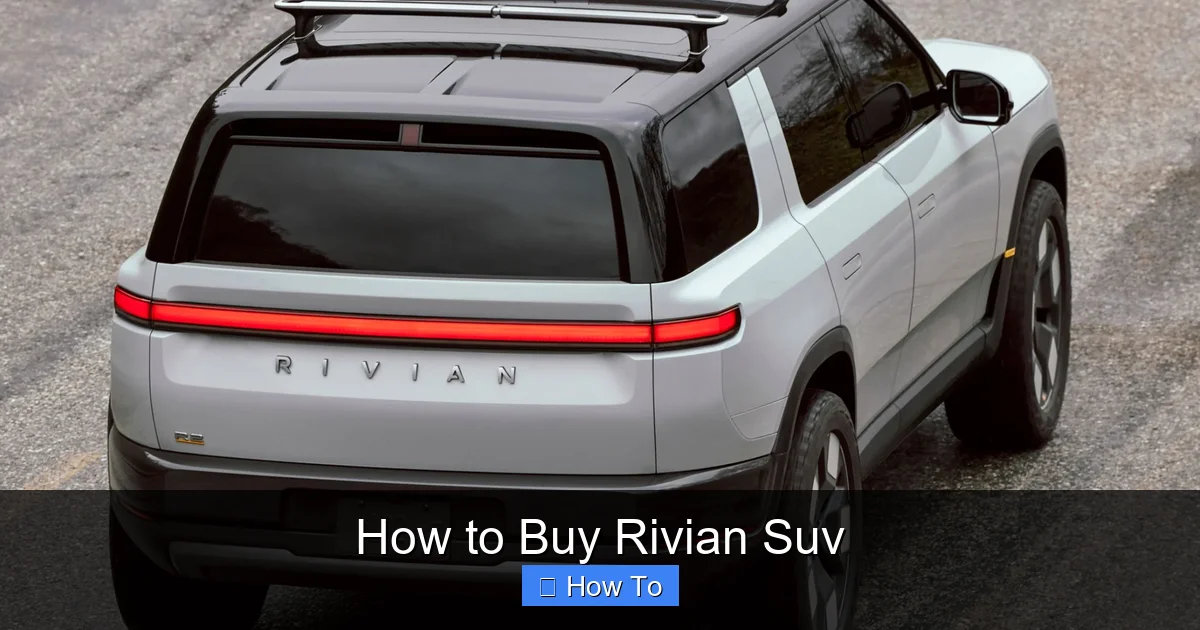
This guide walks you through how to buy a Rivian SUV from start to finish. You’ll learn how to reserve, configure, finance, and take delivery of your Rivian R1T or R1S with confidence and ease.
Key Takeaways
- Reserve early: Rivian operates on a reservation system, so securing your spot early ensures faster delivery and model availability.
- Choose the right model: Compare the R1T pickup truck and R1S SUV based on seating, cargo needs, and off-road performance.
- Understand battery and range options: Select between Standard, Large, and Max battery packs depending on your driving range and budget.
- Explore financing and leasing: Rivian offers in-house financing, leasing, and trade-in options to fit your financial plan.
- Prepare for delivery: Delivery can be at-home or at a Rivian service center—plan accordingly and inspect your vehicle thoroughly.
- Use the Rivian app: The app helps track your order, schedule service, and control vehicle features remotely.
- Consider add-ons and accessories: From gear tunnels to camp kitchens, Rivian offers unique accessories that enhance your adventure experience.
How to Buy a Rivian SUV: A Complete Step-by-Step Guide
So, you’re ready to join the electric revolution and buy a Rivian SUV. Whether you’re eyeing the rugged R1T pickup or the spacious R1S three-row SUV, you’re making a smart, forward-thinking choice. Rivian vehicles are known for their off-road capability, innovative design, and eco-friendly performance. But buying a Rivian isn’t like walking into a dealership and driving off the lot. It’s a digital-first, direct-to-consumer process that requires a bit of planning.
This guide will walk you through every step of how to buy a Rivian SUV—from your first reservation to the moment you unlock your new electric adventure machine. We’ll cover model selection, configuration, financing, delivery options, and post-purchase tips. By the end, you’ll feel confident and prepared to make your Rivian dream a reality.
Step 1: Understand Rivian’s Vehicle Lineup
Before you buy, it’s important to know what Rivian offers. As of 2024, Rivian produces two consumer vehicles: the R1T electric pickup truck and the R1S electric SUV. Both share the same skateboard platform, battery technology, and many features, but they serve different lifestyles.
Rivian R1T: The Electric Adventure Truck
The R1T is the world’s first electric pickup truck to hit the market. It’s built for adventurers who want power, utility, and innovation. With a quad-motor setup (one motor per wheel), the R1T delivers instant torque and impressive off-road performance. It features a unique “gear tunnel” between the cab and bed, a powered tonneau cover, and a front trunk (frunk) for extra storage.
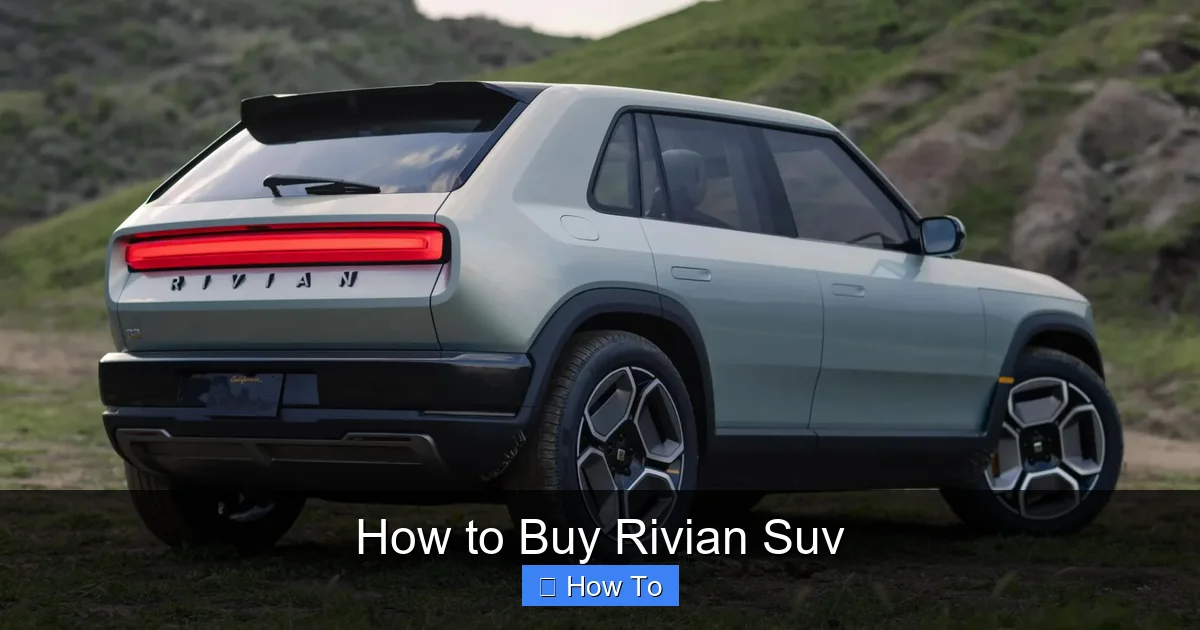
Visual guide about How to Buy Rivian Suv
Image source: techspot.com
Rivian R1S: The Electric Family SUV
The R1S is the SUV version of the R1T, designed for families and outdoor enthusiasts. It seats up to seven passengers with three rows of seating. Like the R1T, it has a quad-motor system, air suspension, and advanced off-road capabilities. The R1S also includes the same gear tunnel and frunk, making it one of the most versatile electric SUVs on the market.
Which One Should You Choose?
- Choose the R1T if: You need a truck bed for hauling gear, camping equipment, or adventure toys. It’s ideal for weekend warriors, overlanders, and anyone who values utility.
- Choose the R1S if: You need seating for 5–7 people and want a spacious, comfortable ride for daily driving and long trips. It’s perfect for families who still want to explore off the beaten path.
Both vehicles offer similar performance, range, and technology, so your decision will likely come down to lifestyle and space needs.
Step 2: Visit the Rivian Website and Create an Account
Rivian sells directly to consumers, which means no traditional dealerships. Everything starts online at rivian.com.
Create Your Rivian Account
- Go to the Rivian homepage and click “Shop” in the top menu.
- Select either the R1T or R1S.
- Click “Reserve Now” or “Build & Reserve.”
- You’ll be prompted to create a Rivian account using your email address and a secure password.
- Verify your email to activate your account.
Having an account is essential—it’s how you’ll manage your reservation, configure your vehicle, track delivery, and access customer support.
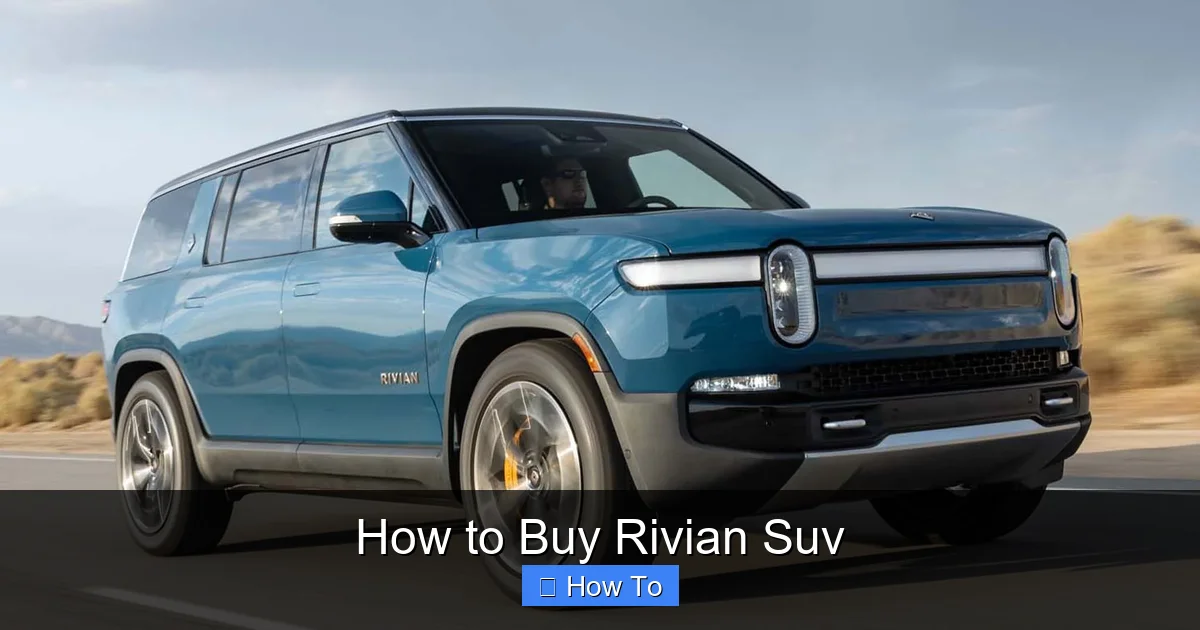
Visual guide about How to Buy Rivian Suv
Image source: motortrend.com
Why Create an Account Early?
Even if you’re not ready to reserve, creating an account lets you explore configurations, save builds, and receive updates on delivery timelines. It also ensures you don’t miss out on new features or limited-edition options.
Step 3: Make a Reservation
Rivian uses a reservation system to manage demand and production. Reserving your vehicle secures your place in line and locks in current pricing and configurations.
How to Reserve Your Rivian
- Log in to your Rivian account.
- Select your desired model (R1T or R1S).
- Choose your preferred configuration (we’ll cover this in Step 4).
- Click “Reserve Now.”
- Pay a refundable reservation fee of $100.
The $100 reservation fee is fully refundable at any time before you finalize your purchase. It’s not a down payment—it’s just a way to secure your spot.
What Happens After You Reserve?
Once you reserve, you’ll receive a confirmation email and access to your order dashboard. Rivian will update you on estimated delivery windows based on your configuration, location, and production schedule. Delivery times can vary from a few months to over a year, depending on demand and battery options.
Can You Reserve Multiple Vehicles?
Yes, you can reserve more than one Rivian, but each reservation requires a separate $100 fee. Some customers reserve both an R1T and R1S to compare or gift one to family.
Step 4: Configure Your Rivian SUV
After reserving, it’s time to build your ideal Rivian. This is where you customize everything from battery size to interior finishes.
Choose Your Battery Pack
Battery choice affects range, performance, and price. Rivian offers three battery options:
- Standard Battery: ~260 miles of range. Best for city driving and shorter trips. Lower upfront cost.
- Large Battery: ~315 miles of range. The most popular option. Balances range and price.
- Max Battery: ~400+ miles of range. Ideal for long road trips and towing. Higher cost and longer wait times.
Tip: The Max Battery has been in high demand and may have extended delivery times. If you need your vehicle sooner, consider the Large Battery.
Select Drivetrain
All Rivian vehicles come with a quad-motor all-wheel-drive system as standard. This means each wheel is powered independently, giving you excellent traction and control—especially off-road.
Pick Your Exterior Color
Rivian offers a range of exterior colors, including:
- Launch Green (deep forest green)
- Compass Yellow (vibrant yellow)
- Glacier White
- Limestone (light gray)
- Midnight (black)
- Lava (red)
- And more seasonal or limited editions
Some colors may cost extra or be available only on certain trims.
Choose Interior Options
Interior choices include:
- Seat Material: Choose between premium vegan leather, perforated vegan leather, or sustainable cloth.
- Interior Theme: Options like “Ocean” (blues and grays) or “Forest” (earthy tones) create a calming cabin environment.
- Steering Wheel: Heated steering wheel available on higher trims.
- Seating: R1S offers 5-seat or 7-seat configurations.
Add Accessories
Rivian offers a range of adventure-ready accessories, such as:
- Camp Kitchen (fits in the gear tunnel)
- Roof Rack and Cargo Box
- Off-Road Skid Plates
- Trailer Hitch and Towing Package
- All-Weather Floor Mats
- Rivian Charging Station (for home installation)
Accessories can be added during configuration or purchased later through the Rivian store.
Review and Save Your Configuration
Once you’ve customized your Rivian, review the total price and save your build. You can return to it anytime before finalizing your order.
Step 5: Finalize Your Order
When Rivian is ready to build your vehicle, they’ll send you an email inviting you to finalize your order. This is when you commit to the purchase.
Steps to Finalize Your Order
- Log in to your Rivian account and go to your order dashboard.
- Review your configuration, pricing, and delivery estimate.
- Make any last-minute changes (if allowed—some options may be locked in).
- Enter your delivery address and contact information.
- Choose your payment method (we’ll cover this in Step 6).
- Sign the purchase agreement electronically.
- Pay your deposit (typically $1,000–$2,000, depending on configuration).
Once your order is finalized, Rivian will begin production. You’ll receive regular updates via email and the Rivian app.
What If You Change Your Mind?
You can cancel your order before production begins and receive a full refund of your deposit and reservation fee. Once production starts, cancellations may be subject to fees or restrictions.
Step 6: Explore Financing and Payment Options
Rivian offers several ways to pay for your vehicle, including cash, financing, and leasing.
Rivian Financing
Rivian provides in-house financing through partnerships with lenders. You can apply directly on the Rivian website.
- Loan terms: 36 to 84 months
- Interest rates: Competitive, based on creditworthiness
- Down payment: Typically 10–20%, but can be lower
- Pre-approval: Get pre-approved to speed up the process
Tip: Check your credit score before applying. A higher score can help you secure a better rate.
Leasing a Rivian
Rivian offers leasing options with flexible terms:
- Lease terms: 24 to 36 months
- Mileage limits: 10,000, 12,000, or 15,000 miles per year
- Wear and tear: Standard lease conditions apply
- End of lease: Return the vehicle or purchase it at residual value
Leasing is a great option if you like upgrading to new models every few years.
Trade-In Your Current Vehicle
Rivian accepts trade-ins. You can get an instant online estimate or schedule an appraisal at a Rivian service center.
- Trade-in value is applied to your purchase price
- Must be paid off or have equity
- Can be done during the finalization process
Cash Purchase
If you’re paying in full, you can transfer funds via wire or cashier’s check. Rivian will provide instructions once your vehicle is ready for delivery.
Step 7: Prepare for Delivery
Delivery is the exciting final step. Rivian offers two delivery options: at-home delivery or pickup at a Rivian service center.
At-Home Delivery
Rivian will deliver your vehicle directly to your home or a location of your choice. A Rivian delivery specialist will walk you through the vehicle, explain features, and help you set up the app.
- Available in most U.S. regions
- Scheduled in advance
- Includes a full tank of charge (100%)
- No extra cost for standard delivery
Pickup at a Rivian Service Center
If you prefer, you can pick up your Rivian at one of Rivian’s service locations. This option is great if you want to explore the facility or schedule immediate service.
- Available in major cities like Los Angeles, Denver, Austin, and New York
- You’ll receive a full orientation
- Can combine with a test drive or accessory installation
What to Bring on Delivery Day
- Driver’s license
- Proof of insurance
- Payment confirmation (if not already paid)
- Charging cable (if not included)
Inspect Your Vehicle
Before accepting delivery, do a thorough inspection:
- Check for exterior damage (dents, scratches, paint issues)
- Test all lights, windows, and doors
- Verify interior features and accessories
- Ensure the battery is charged and the odometer reads correctly
- Test drive if possible
If you find any issues, report them immediately to the delivery specialist.
Step 8: Register and Insure Your Rivian
After delivery, you’ll need to register and insure your vehicle.
Vehicle Registration
Rivian handles most of the registration process, but you’ll need to provide:
- Proof of insurance
- Driver’s license
- Residency information
Rivian will submit paperwork to your state’s DMV and mail your license plates. This can take 2–6 weeks.
Insurance
You must have insurance before driving your Rivian. Contact your current insurer or shop around for quotes. Full coverage is recommended, especially for a new electric vehicle.
- Comprehensive and collision coverage
- Liability coverage (state minimum or higher)
- Uninsured/underinsured motorist protection
- Consider adding roadside assistance and rental reimbursement
Tip: Some insurers offer discounts for electric vehicles or safe driving features.
Step 9: Set Up the Rivian App and Connect Your Vehicle
The Rivian mobile app is your digital key and control center.
Download the App
Available on iOS and Android. Search “Rivian” in your app store.
Pair Your Vehicle
- Open the app and log in with your Rivian account.
- Follow the prompts to pair your vehicle using Bluetooth.
- Set up your digital key (you can share it with family members).
App Features
- Remote lock/unlock and start
- Climate control (pre-heat or cool the cabin)
- Charge status and scheduling
- Vehicle location and trip history
- Service scheduling and support
- Over-the-air software updates
The app makes owning a Rivian convenient and connected.
Step 10: Enjoy Your Rivian and Maintain It
Congratulations—you’ve successfully bought your Rivian SUV! Now it’s time to enjoy the ride.
Charging Your Rivian
- Home Charging: Install a Rivian Charging Station or use a Level 2 charger.
- Public Charging: Use networks like Electrlyzer, EVgo, or Tesla Superchargers (with adapter).
- Adventure Charging: Rivian is expanding its own “Adventure Network” of fast chargers along popular routes.
Routine Maintenance
Rivian vehicles require less maintenance than gas cars, but regular checkups are still important.
- Tire rotations every 6,000–8,000 miles
- Brake fluid and coolant checks
- Software updates (automatic over-the-air)
- Annual service inspections
Schedule service through the Rivian app or website.
Join the Rivian Community
Connect with other owners through Rivian forums, social media groups, and local meetups. Share tips, plan adventures, and stay updated on new features.
Troubleshooting Common Issues
Delivery Delays
Rivian has faced production delays due to supply chain issues and high demand. If your delivery is delayed, check your order dashboard for updates. You can also contact Rivian support.
Battery Range Anxiety
If you’re concerned about range, plan trips using the Rivian app or PlugShare. The Large Battery is sufficient for most daily and weekend trips.
App Connectivity Problems
If the app won’t connect, try restarting your phone, toggling Bluetooth, or reinstalling the app. Ensure your vehicle is in an area with cellular coverage.
Accessory Installation Issues
Some accessories require professional installation. Schedule an appointment at a Rivian service center if you’re unsure.
Conclusion
Buying a Rivian SUV is a unique and rewarding experience. From the moment you reserve your vehicle to the day you drive it off (or have it delivered), the process is designed to be smooth, transparent, and customer-focused. By following this guide, you’ve learned how to buy a Rivian SUV with confidence—choosing the right model, configuring it to your lifestyle, securing financing, and preparing for delivery.
Rivian isn’t just selling electric vehicles—they’re building a community of adventurers, innovators, and sustainability-minded drivers. Whether you’re exploring mountain trails, road-tripping across the country, or just commuting in style, your Rivian is built to go the distance.
So what are you waiting for? Visit rivian.com, reserve your Rivian today, and start your electric adventure.