
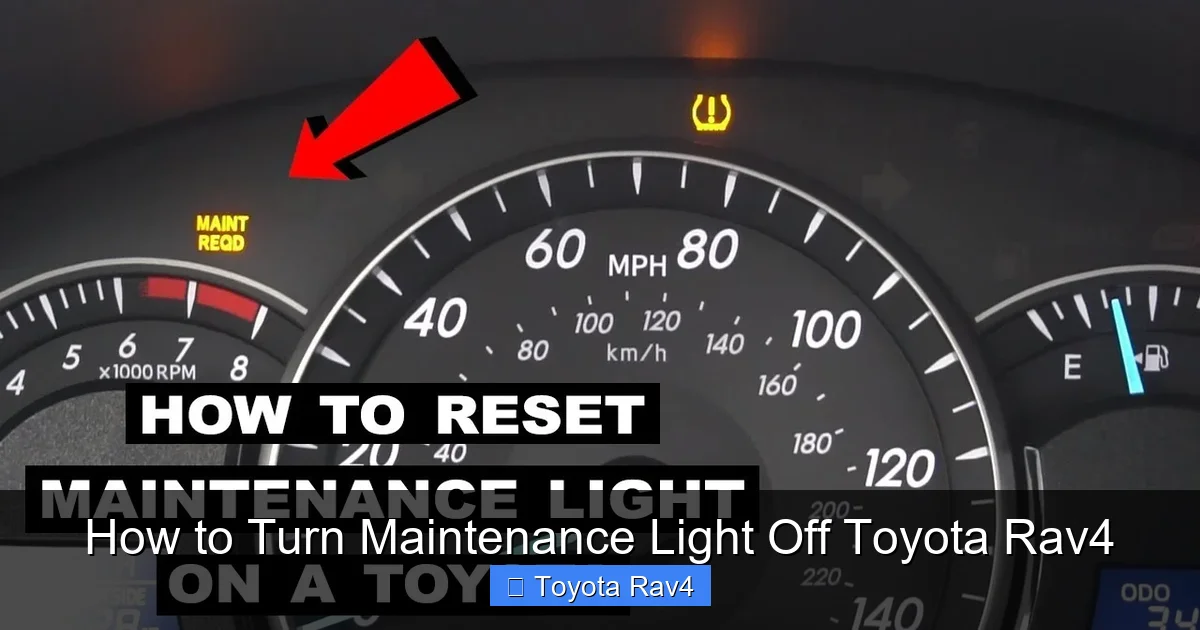
Turning off the maintenance light on your Toyota RAV4 is simple and can be done in minutes without visiting a mechanic. Whether you’ve just completed an oil change or routine service, this guide walks you through the exact steps for every RAV4 generation—from the early 2000s models to the latest 2024 versions.
So, you’ve just changed your oil, rotated your tires, or completed a scheduled service on your Toyota RAV4—great job! But now, that little “Maintenance Required” light is still glowing on your dashboard like a stubborn reminder. Don’t worry—you’re not alone. Thousands of RAV4 owners face this same issue every year, and the good news is: you don’t need to pay a dealership $50 just to turn off a light.
This guide will walk you through exactly how to turn maintenance light off Toyota RAV4, no matter what year or trim level you drive. Whether you’re behind the wheel of a rugged 2005 RAV4 with a manual transmission or a sleek 2023 hybrid with all the tech bells and whistles, we’ve got you covered. The process is surprisingly simple, takes less than two minutes, and requires no special tools—just your hands, your key (or start button), and a little patience.
We’ll break it down by model generation, explain why the light comes on in the first place, and even share some pro tips to avoid confusion. By the end of this article, you’ll be able to reset that light like a seasoned mechanic—and maybe even help a friend out next time they’re stumped. Let’s get started!
Key Takeaways
- Know your model year: The procedure varies slightly between RAV4 generations, so identifying your vehicle’s year is the first step.
- Use the trip meter button: Most RAV4 models use the trip odometer button to reset the maintenance light.
- Turn the ignition to “ON”: You don’t need to start the engine—just turn the key to the second position or press the start button without your foot on the brake.
- Press and hold the trip button: This triggers the reset sequence; timing is key—usually 5–10 seconds.
- Watch for the light to blink or turn off: Success is confirmed when the maintenance indicator disappears or resets to zero.
- For newer models (2019+), use the multi-information display: Touchscreen or button navigation may be required.
- When in doubt, consult your owner’s manual: Toyota provides model-specific instructions that are always reliable.
📑 Table of Contents
- Why Does the Maintenance Light Come On?
- How to Identify Your Toyota RAV4 Model Year
- Step-by-Step Guide: How to Turn Maintenance Light Off Toyota RAV4 (2006–2018 Models)
- How to Reset the Maintenance Light on 2019–2024 Toyota RAV4 Models
- How to Reset the Light on Older RAV4 Models (1996–2005)
- Troubleshooting: What to Do If the Light Won’t Turn Off
- Preventing Future Confusion: Best Practices
- Conclusion
Why Does the Maintenance Light Come On?
Before we dive into the how-to, it’s helpful to understand why that little orange or yellow light appears in the first place. The “Maintenance Required” indicator on your Toyota RAV4 isn’t a warning of immediate danger—it’s more like a friendly nudge from your car saying, “Hey, it’s time for routine care.”
Toyota uses a time- and mileage-based system to track when your vehicle needs service. This isn’t the same as the “Check Engine” light, which signals a potential mechanical issue. Instead, the maintenance light is part of Toyota’s Scheduled Maintenance Reminder system. It typically comes on every 5,000 to 10,000 miles, depending on your driving habits and the model year.
For example, if you drive mostly in stop-and-go city traffic, your oil may degrade faster, so the system might trigger the light sooner. On the other hand, highway driving tends to be easier on the engine, so the interval could stretch closer to 10,000 miles. The system is designed to keep your RAV4 running smoothly by encouraging regular oil changes, tire rotations, brake inspections, and other preventive care.
It’s important to note that this light doesn’t mean something is broken. It simply means your vehicle is due for scheduled maintenance. Ignoring it won’t cause immediate damage, but skipping regular service can lead to reduced fuel efficiency, engine wear, and even costly repairs down the road. So while turning off the light is easy, don’t forget to actually perform the service it’s reminding you about!
How the Maintenance Light Differs from the Check Engine Light
Many drivers confuse the maintenance light with the “Check Engine” light, but they serve very different purposes. The maintenance light is preventive—it’s like a calendar reminder. The Check Engine light, on the other hand, is diagnostic—it means the car’s onboard computer has detected a problem that needs attention.
If your Check Engine light is on, you should have your vehicle inspected by a professional as soon as possible. But if it’s just the maintenance light, you’re likely fine to reset it after completing your service. That said, if the maintenance light comes on much earlier than expected—say, after only 2,000 miles—it might be worth checking your driving conditions or oil quality.
How to Identify Your Toyota RAV4 Model Year
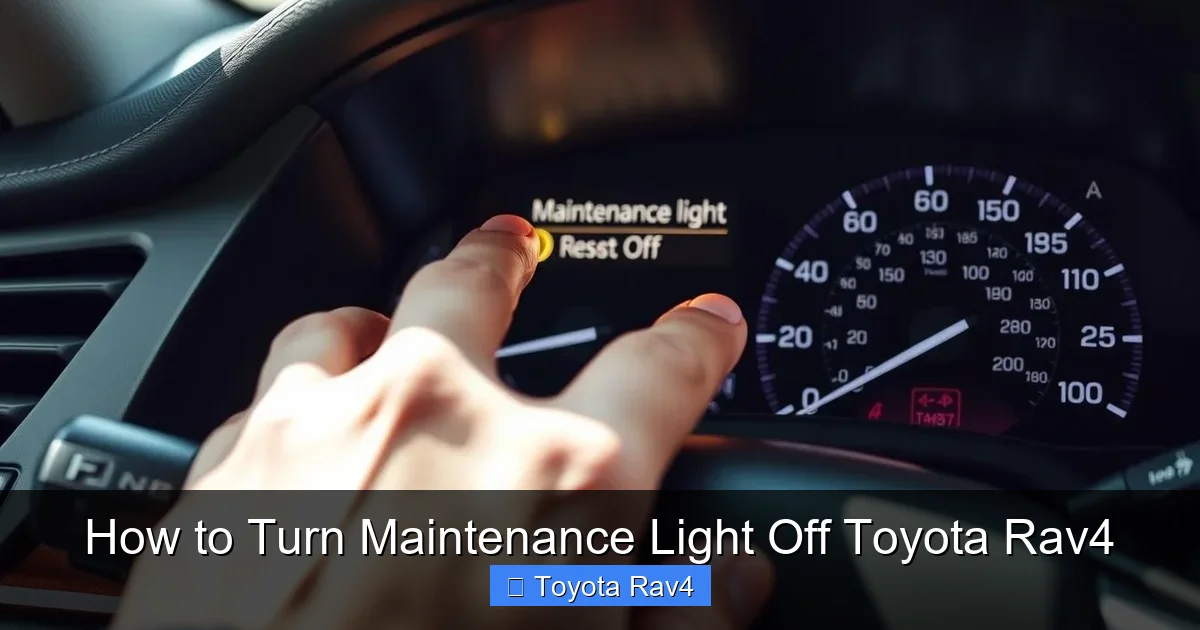
Visual guide about How to Turn Maintenance Light Off Toyota Rav4
Image source: vehiclerides.com
Not all RAV4 models use the same reset procedure. The method for turning off the maintenance light has evolved over the years, especially as Toyota introduced digital displays and advanced infotainment systems. That’s why the first step in resetting the light is knowing exactly which RAV4 you’re driving.
Toyota has released five major generations of the RAV4 since its debut in 1994. Here’s a quick breakdown to help you identify your model:
- First Generation (1996–2000): Boxy design, compact size, available in both front-wheel and all-wheel drive. These models use a simple mechanical odometer and basic dashboard lights.
- Second Generation (2001–2005): Slightly larger, more rounded styling. Introduced the 2.4L 4-cylinder engine and improved interior features. Still uses analog gauges.
- Third Generation (2006–2012): Major redesign with a more car-like appearance. Features a digital odometer and trip meter. This is where the maintenance reset procedure starts to become more standardized.
- Fourth Generation (2013–2018): Bold new look, available in both gas and hybrid versions. Introduced the Entune infotainment system and a more advanced instrument cluster.
- Fifth Generation (2019–Present): Completely redesigned with modern tech, including a touchscreen display, digital instrument cluster (on higher trims), and Toyota Safety Sense 2.0. Reset procedures now often involve menu navigation.
To find your exact model year, check your vehicle registration, insurance card, or look for a sticker inside the driver’s side door jamb. You can also enter your VIN (Vehicle Identification Number) on Toyota’s official website to get detailed specs.
Why Model Year Matters for the Reset Process
The reset method changed significantly between generations. For example, older RAV4s (pre-2006) often require you to turn the ignition on and off in a specific sequence, while newer models (2019+) use the multi-information display (MID) to navigate through menus.
If you use the wrong method, you might end up frustrated—or worse, accidentally reset your trip meter or fuel economy data. That’s why identifying your model year is crucial. Once you know it, you can follow the correct steps with confidence.
Step-by-Step Guide: How to Turn Maintenance Light Off Toyota RAV4 (2006–2018 Models)
The third and fourth generations of the RAV4 (2006–2018) use a similar reset procedure that relies on the trip odometer button. This method is straightforward and works for both gas and hybrid versions. Here’s how to do it:
Step 1: Turn the Ignition to “ON”
Sit in the driver’s seat and insert your key into the ignition. Turn it to the “ON” position—this is the second click, where all the dashboard lights come on, but the engine does not start. If your RAV4 has a push-button start, press the “Start” button once without pressing the brake pedal. You should see the maintenance light illuminated on the dashboard.
Step 2: Locate the Trip Odometer Button
Look at your instrument cluster. You’ll see a small button near the speedometer or tachometer labeled “TRIP” or “ODO/TRIP.” This button allows you to switch between trip A, trip B, and total mileage.
Step 3: Press and Hold the Trip Button
With the ignition on, press and hold the trip button. Keep holding it down. After about 5–10 seconds, you’ll notice the maintenance light begin to blink. This is a sign that the reset process has started.
Step 4: Wait for the Light to Turn Off
Continue holding the button until the maintenance light turns off completely. On some models, the odometer may display “000000” or the trip meter may reset to zero. Once the light is off, release the button.
Step 5: Turn Off the Ignition
Turn the key back to the “OFF” position or press the start button again to shut off the vehicle. The next time you start your RAV4, the maintenance light should be gone—unless you’re actually due for service, in which case it will come back after the next interval.
Pro Tips for Success
- Timing is key: If you release the button too early, the reset won’t complete. Hold it for at least 10 seconds to be safe.
- Don’t start the engine: The reset only works when the ignition is on but the engine is off.
- Try trip A or trip B: Some owners find that switching to trip A before starting the reset helps. It doesn’t hurt to try.
- If it doesn’t work the first time, try again: Sometimes the system needs a second attempt. Wait 30 seconds and repeat the steps.
How to Reset the Maintenance Light on 2019–2024 Toyota RAV4 Models
Starting in 2019, Toyota introduced a completely new RAV4 with advanced technology, including a digital instrument cluster and touchscreen infotainment system. As a result, the reset procedure changed. Instead of using the trip button alone, you now navigate through the multi-information display (MID).
Step 1: Turn the Ignition to “ON”
As with older models, turn the ignition to the “ON” position without starting the engine. For push-button start vehicles, press the start button once (no brake pedal).
Step 2: Access the Multi-Information Display
Look at your instrument cluster. You’ll see a digital screen with various menus. Use the arrow buttons on your steering wheel (usually on the left side) to navigate. Press the “DISP” or “INFO” button to cycle through options until you find the “Settings” or “Vehicle Settings” menu.
Step 3: Navigate to Maintenance Reset
Use the arrow buttons to scroll down to “Maintenance” or “Scheduled Maintenance.” Press the “OK” or “Enter” button to select it. You’ll see an option to “Reset” or “Clear” the maintenance reminder.
Step 4: Confirm the Reset
Select “Yes” or “Reset” when prompted. The system will confirm that the maintenance light has been turned off. You may see a message like “Maintenance Reset Complete” or the light will simply disappear from the dashboard.
Step 5: Turn Off the Ignition
Once confirmed, turn off the ignition. The next time you start your RAV4, the maintenance light should be off.
Alternative Method (For Some 2019–2021 Models)
On some early fifth-generation RAV4s, you can still use the trip button method, but it’s less reliable. Try this as a backup:
- Turn ignition to “ON.”
- Press and hold the trip button.
- While holding, turn the ignition off and back on.
- Continue holding until the light blinks or turns off.
This method works on some trims but not all, so the MID method is recommended.
How to Reset the Light on Older RAV4 Models (1996–2005)
If you’re driving a first- or second-generation RAV4, the process is a bit different—and a little more manual. These older models don’t have digital displays, so the reset relies on a specific ignition sequence.
Step 1: Turn the Ignition to “ON”
Insert the key and turn it to the “ON” position (engine off).
Step 2: Press and Hold the Trip Button
Locate the trip odometer button and press it down. Hold it firmly.
Step 3: Turn the Ignition Off and Back On
While still holding the trip button, turn the key back to “OFF,” then immediately turn it back to “ON.” Do this within 5 seconds.
Step 4: Wait for the Light to Blink
Keep holding the trip button. After a few seconds, the maintenance light should begin to blink. Continue holding until it turns off completely.
Step 5: Release and Turn Off
Once the light is off, release the button and turn the ignition off. The reset is complete.
Note on Early Models
Some 1996–1998 RAV4s may not have a maintenance light at all—instead, they rely on a sticker in the windshield or manual tracking. If your dash doesn’t have the light, you may not need to reset anything.
Troubleshooting: What to Do If the Light Won’t Turn Off
Even with the correct steps, sometimes the maintenance light refuses to cooperate. Here are common issues and how to fix them:
The Light Comes Back On Immediately
If the light turns off but reappears the next time you start the car, it could mean:
- You didn’t complete the reset correctly—try the steps again.
- The vehicle’s computer hasn’t registered the service—ensure you’ve actually performed the required maintenance.
- There’s a fault in the system—rare, but possible. A dealership scan tool may be needed.
The Trip Button Doesn’t Respond
If pressing the trip button does nothing:
- Make sure the ignition is in the “ON” position.
- Try cleaning the button—dirt or grime can interfere with contact.
- Check for a blown fuse (usually #14 or #15 in the fuse box).
The Multi-Information Display Won’t Navigate
On newer models, if the steering wheel buttons aren’t working:
- Ensure the vehicle is in “ON” mode, not “ACC” or “OFF.”
- Try restarting the vehicle and repeating the process.
- Update your infotainment system via Toyota’s website if available.
When to Visit a Dealership
If you’ve tried multiple times and the light still won’t reset, it may be time to visit a Toyota service center. There could be an underlying issue with the vehicle’s computer or sensor. Most dealerships will reset the light for free if you’ve had recent service done elsewhere.
Preventing Future Confusion: Best Practices
Now that you know how to turn maintenance light off Toyota RAV4, here are some tips to make future resets easier:
- Keep a service log: Write down the date, mileage, and type of service performed. This helps you track intervals and avoid confusion.
- Use the owner’s manual: It’s the most reliable source for your specific model. Keep it in the glove box.
- Set a reminder on your phone: Use a calendar app to alert you 500 miles before the next service is due.
- Don’t ignore the light: Resetting it is easy, but so is neglecting maintenance. Stay on top of oil changes, tire rotations, and brake checks.
- Teach a family member: If someone else drives your RAV4, show them how to reset the light too.
Conclusion
Turning off the maintenance light on your Toyota RAV4 doesn’t have to be a mystery—or a trip to the dealership. With the right steps, you can reset it in under two minutes, no tools required. Whether you drive a classic 2003 RAV4 or a brand-new 2024 hybrid, this guide has you covered.
Remember, the maintenance light is there to help you, not hassle you. It’s a reminder to take care of your vehicle so it can take care of you. By following the correct reset procedure for your model year and staying on top of routine service, you’ll keep your RAV4 running smoothly for years to come.
So next time that little light pops up, don’t panic. Just grab your keys, follow the steps, and enjoy the satisfaction of handling it yourself. Your wallet—and your RAV4—will thank you.
Frequently Asked Questions
Can I reset the maintenance light without doing an oil change?
Yes, you can reset the light without performing service, but it’s not recommended. The light is a reminder to maintain your vehicle, and ignoring it can lead to engine wear or reduced performance over time.
Will resetting the maintenance light affect my warranty?
No, resetting the light yourself does not void your warranty. Toyota allows owners to perform basic maintenance and resets. Just keep records of your service in case you need to prove compliance.
Why does my maintenance light come on every 5,000 miles?
Toyota’s system is programmed for regular intervals based on average driving conditions. If you drive in severe conditions (stop-and-go traffic, extreme temperatures), the light may appear more frequently.
Can I reset the light using a smartphone app?
No, Toyota does not offer an official app to reset the maintenance light. The process must be done manually using the vehicle’s controls.
What if my RAV4 has a hybrid system?
Hybrid RAV4 models use the same reset procedures as gas versions. The method depends on the model year, not the powertrain.
Is it safe to drive with the maintenance light on?
Yes, it’s safe to drive, but you should schedule service soon. The light is a reminder, not a warning of immediate danger. However, delaying maintenance can lead to long-term issues.