
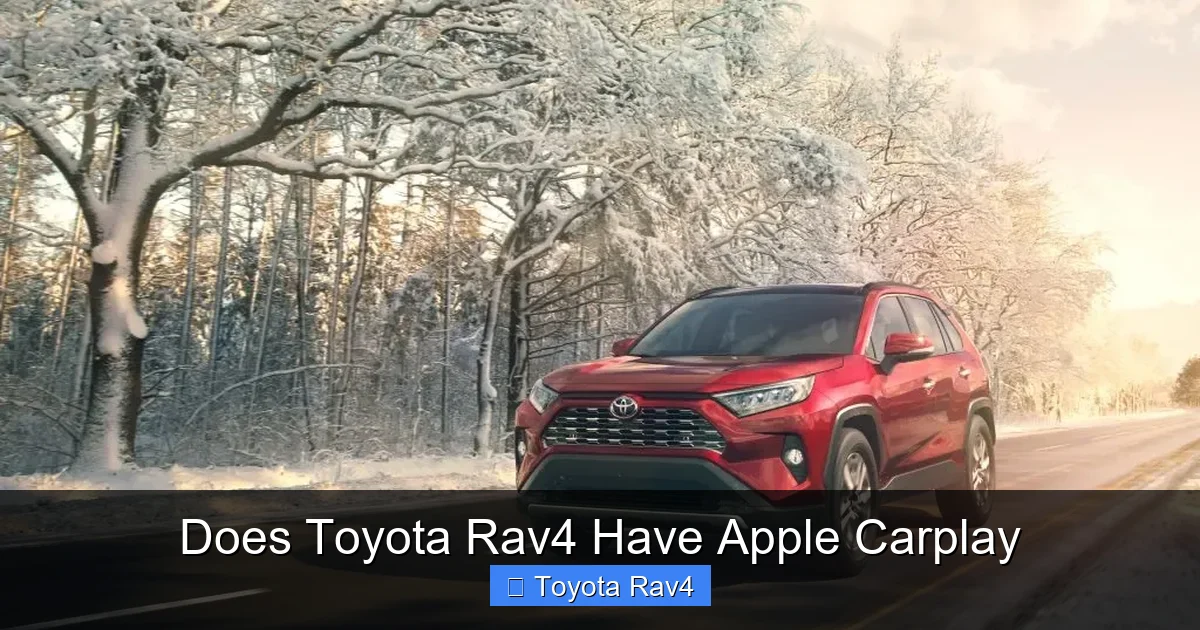
The Toyota RAV4 has included Apple CarPlay since the 2019 model year, making it easy to access your iPhone apps, music, and navigation safely while driving. This feature is available across most trims and remains a key selling point for tech-savvy drivers.
If you’re shopping for a compact SUV that blends reliability, space, and modern tech, the Toyota RAV4 is hard to beat. One of the biggest questions many buyers ask is: “Does the Toyota RAV4 have Apple CarPlay?” The short answer is yes—but there’s more to the story. Whether you’re considering a brand-new 2024 RAV4 or looking at a used model from a few years back, understanding which versions include Apple CarPlay can save you time, frustration, and even money.
Apple CarPlay has become a must-have feature for iPhone users who want to stay connected without compromising safety. It mirrors essential apps from your phone onto your car’s dashboard screen, letting you use navigation, make calls, send messages, and stream music—all through voice commands or simple taps. For families, commuters, and road-trippers alike, this seamless integration makes driving smarter and safer. And thankfully, Toyota recognized this demand early on. Starting with the 2019 redesign, the RAV4 began offering Apple CarPlay as a standard or available feature across nearly all trim levels. So if you’re driving a recent RAV4, chances are very good that you already have access to this helpful technology.
But don’t assume every RAV4 comes equipped—especially if you’re buying used. Earlier models (pre-2019) generally don’t support CarPlay, and even some lower trims in certain years may lack it. That’s why it’s important to know exactly what to look for. In this guide, we’ll walk you through everything you need to know about Apple CarPlay in the Toyota RAV4: which model years include it, how to set it up, what apps work best, troubleshooting tips, and what the future holds. By the end, you’ll feel confident knowing whether your RAV4—or your next one—can keep you connected on the go.
Key Takeaways
- Apple CarPlay is standard on most 2019 and newer RAV4 models: Nearly all trims from LE to Limited include it, with few exceptions.
- Wired connection required: You’ll need a Lightning cable to connect your iPhone—wireless CarPlay isn’t available on the RAV4.
- Works with compatible iPhones: Requires iPhone 5 or later running iOS 7.1 or higher, though newer iOS versions offer better performance.
- Supports key apps like Maps, Messages, and Music: Use Siri voice commands to send texts, play songs, or get directions without touching your phone.
- Easy setup in three steps: Plug in your iPhone, allow permissions, and start using CarPlay through the infotainment screen.
- No subscription fees: Once connected, Apple CarPlay works at no extra cost—no monthly charges or hidden fees.
- Future models will likely keep CarPlay: Toyota continues to support smartphone integration as part of its tech-forward approach.
📑 Table of Contents
- Which Toyota RAV4 Models Include Apple CarPlay?
- How to Connect Apple CarPlay in Your Toyota RAV4
- What Apps Work with Apple CarPlay in the RAV4?
- Troubleshooting Common Apple CarPlay Issues in the RAV4
- Wireless vs. Wired: Why the RAV4 Uses a Cable
- The Future of Apple CarPlay in Toyota Vehicles
- Final Thoughts: Is Apple CarPlay Worth It in the RAV4?
Which Toyota RAV4 Models Include Apple CarPlay?
The good news is that Apple CarPlay has been widely adopted in the Toyota RAV4 lineup since its major redesign in 2019. However, availability does vary slightly depending on the model year, trim level, and sometimes even regional specifications. Let’s break it down by year so you know exactly what to expect.
Starting with the 2019 RAV4, Toyota made Apple CarPlay standard on all trims except the base LE in certain markets. In the U.S., even the entry-level LE trim included CarPlay from 2019 onward, thanks to Toyota’s push to democratize tech features. That means whether you chose the LE, XLE, XLE Premium, Limited, or the adventure-ready Adventure and TRD Off-Road trims, you got Apple CarPlay right out of the box. The only exception was if you opted for the most basic infotainment system without a touchscreen—but those were rare and typically only found in fleet or international versions.
Moving into the 2020, 2021, 2022, 2023, and 2024 model years, Apple CarPlay remained standard across the entire RAV4 range in North America. Toyota didn’t remove it as an option or relegate it to higher trims—it stayed consistent. This is great news for used car shoppers: if you’re looking at any RAV4 from 2019 or newer, you’re almost certainly getting Apple CarPlay. Just double-check the vehicle history or ask the dealer to confirm, especially if you’re buying privately.
One thing to note: while Apple CarPlay is included, it requires a wired connection. Unlike some luxury vehicles or newer Hyundai and Kia models, the RAV4 does not offer wireless Apple CarPlay—at least not as of the 2024 model year. You’ll need to plug in your iPhone using a Lightning cable (or USB-C if you have an iPhone 15 or newer). The USB port is usually located in the center console, near the gear shifter.
Also, keep in mind that Apple CarPlay functionality depends on your iPhone’s compatibility. Your phone must be an iPhone 5 or later and running at least iOS 7.1, though we strongly recommend updating to the latest iOS version for the best experience. Older phones may connect but could run slowly or lack support for newer CarPlay features like dashboard widgets or enhanced navigation.
How to Connect Apple CarPlay in Your Toyota RAV4
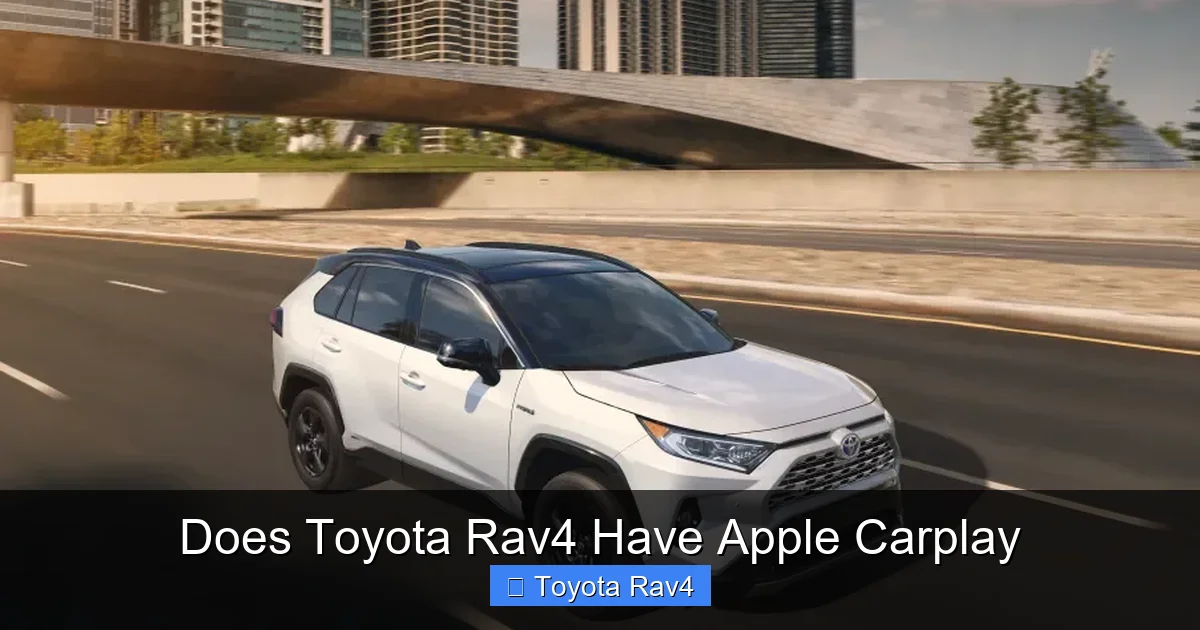
Visual guide about Does Toyota Rav4 Have Apple Carplay
Image source: motorbiscuit.com
Setting up Apple CarPlay in your RAV4 is surprisingly simple—even if you’re not particularly tech-savvy. The process takes just a few minutes and only needs to be done once. After that, your phone will automatically connect whenever you plug it in (as long as CarPlay is enabled).
Here’s a step-by-step guide:
First, make sure your iPhone is unlocked and that you have a compatible Lightning or USB-C cable. Toyota recommends using an Apple-certified cable, as third-party cords can sometimes cause connection issues. Plug one end into your iPhone and the other into the USB media port in your RAV4—usually found in the front center console, labeled with a phone or data icon.
Next, turn on your RAV4’s ignition (you don’t need to start the engine, but the accessory mode should be on). The infotainment screen will power up. Within a few seconds, you should see a prompt asking if you want to enable Apple CarPlay. Tap “Allow” on your iPhone when the notification appears. If you don’t see the prompt, go to your iPhone’s Settings > General > CarPlay, and select your RAV4 from the list of available vehicles.
Once connected, the CarPlay interface will appear on your RAV4’s touchscreen. It looks just like your iPhone home screen but optimized for driving—larger icons, simplified menus, and voice-first controls. You can now use Siri by holding the voice command button on your steering wheel (usually marked with a microphone icon) or by saying “Hey Siri” if your phone supports it.
From here, you’re ready to go! Open Apple Maps for turn-by-turn directions, ask Siri to text your spouse, or cue up your favorite playlist on Apple Music. The system responds quickly, and the integration feels natural after just a few uses.
Pro tip: If CarPlay doesn’t launch automatically, check that it’s enabled in your RAV4’s settings. Go to Menu > Settings > Smartphone > Apple CarPlay, and make sure it’s turned on. Also, ensure your iPhone hasn’t disabled CarPlay in its own settings.
What Apps Work with Apple CarPlay in the RAV4?
One of the biggest advantages of Apple CarPlay is that it brings your most-used iPhone apps directly to your dashboard—safely and legally. But not every app is supported, and Toyota’s implementation focuses on driving-friendly functionality.
The core apps that work seamlessly include:
– **Apple Maps**: Get real-time traffic, lane guidance, and points of interest. You can even search for gas stations or restaurants using Siri.
– **Messages**: Send and receive texts hands-free. Siri reads incoming messages aloud and lets you reply with voice dictation.
– **Phone**: Make and receive calls using your car’s speakers and microphone.
– **Music & Podcasts**: Stream from Apple Music, Spotify, Pandora, Audible, and other audio apps. Note: Third-party apps must be CarPlay-certified to appear.
– **Calendar**: View upcoming appointments and get reminders.
– **Siri Shortcuts**: Use custom voice commands to trigger routines like “Start my commute” or “Call home.”
In recent iOS updates, Apple has also added support for parking, EV charging, and quick food ordering apps—though availability depends on whether the developer has enabled CarPlay integration. For example, apps like PlugShare (for EV drivers) or ParkWhiz may show up if installed on your phone.
It’s worth noting that video apps, social media platforms (like Instagram or TikTok), and games are blocked while driving for safety reasons. If you park and shift into Park, some of these may become accessible—but never use them while the vehicle is in motion.
Another helpful feature is the ability to customize your CarPlay home screen. You can rearrange app icons, add widgets (like weather or calendar), and even set a preferred navigation app. While Apple Maps is the default, you can switch to Google Maps or Waze if you prefer—just download them from the App Store and they’ll appear in CarPlay automatically.
For RAV4 owners who frequently travel, this app ecosystem is a game-changer. Imagine pulling up to a new city, asking Siri to find the nearest coffee shop, getting directions, and listening to your morning podcast—all without touching your phone. It’s convenient, safe, and surprisingly intuitive.
Troubleshooting Common Apple CarPlay Issues in the RAV4
Even with perfect setup, occasional hiccups can occur. Don’t worry—most Apple CarPlay problems in the RAV4 are easy to fix with a few simple steps.
One of the most common issues is a failed connection. If your iPhone won’t connect, first check your cable. Faulty or non-certified cables are the #1 culprit. Try a different Lightning or USB-C cable—preferably an Apple-branded one. Also, inspect the USB port in your RAV4 for dust or debris; a quick clean with compressed air can help.
Another frequent complaint is CarPlay freezing or lagging. This often happens after a major iOS update. Solution? Restart both your iPhone and your RAV4’s infotainment system. To reboot the head unit, turn off the car, wait 30 seconds, then restart. For iPhones, hold the power and volume buttons until the slider appears.
If CarPlay connects but apps won’t open, check your iPhone’s storage. Low storage can cause performance issues. Free up space by deleting unused apps or photos. Also, ensure your apps are updated—outdated versions may not be compatible with the latest CarPlay protocols.
Some users report that Siri doesn’t respond. First, verify that Siri is enabled on your iPhone (Settings > Siri & Search). Then, test the voice button on your steering wheel. If it doesn’t work, check your RAV4’s audio settings—sometimes the microphone input gets muted or routed incorrectly.
Lastly, if CarPlay suddenly disappears from your screen, it might be due to a software glitch in the RAV4’s multimedia system. Toyota has released several firmware updates over the years to improve stability. Visit your local dealer or check Toyota’s owner portal to see if a free update is available. Many owners have resolved persistent issues with a simple system refresh.
Remember: Apple CarPlay relies on both your phone and your car working together. Keeping both updated is the best prevention.
Wireless vs. Wired: Why the RAV4 Uses a Cable
You might be wondering: “Why do I have to plug in my phone? Can’t the RAV4 do wireless CarPlay like some other cars?” It’s a fair question—and one many Toyota fans have asked.
As of 2024, the Toyota RAV4 does not support wireless Apple CarPlay. You must use a physical cable to connect your iPhone. There are a few reasons for this.
First, wireless CarPlay requires additional hardware—specifically, a Wi-Fi and Bluetooth module that supports the protocol. While some newer Toyotas (like the 2023+ Highlander or 2024+ Camry) have started offering wireless connectivity, the RAV4 hasn’t been updated with this feature yet. Toyota has prioritized other upgrades, such as improved safety tech (Toyota Safety Sense 3.0) and hybrid efficiency.
Second, wired connections are generally more reliable. They offer faster data transfer, less lag, and don’t drain your phone’s battery as quickly. Wireless CarPlay can sometimes drop connections or suffer from audio delays—especially in areas with poor signal.
That said, the lack of wireless isn’t a dealbreaker for most users. The wired setup is stable, quick to connect, and keeps your phone charged during long drives. Plus, the USB port in the RAV4 is conveniently located and often includes a dedicated phone holder or tray.
Will Toyota add wireless CarPlay to future RAV4 models? It’s likely. As smartphone integration becomes expected across all vehicle classes, Toyota will probably follow suit—possibly as early as the next-generation RAV4 (expected around 2025–2026). But for now, the cable remains king in the RAV4.
The Future of Apple CarPlay in Toyota Vehicles
Toyota has been steadily improving its infotainment and connectivity offerings in recent years. While the brand was slower to adopt Apple CarPlay and Android Auto compared to rivals like Honda or Ford, it’s now caught up—and in some areas, surpassed them.
Looking ahead, Toyota has signaled its commitment to digital integration. The company’s partnership with Apple and Google ensures continued support for CarPlay and Android Auto across its lineup. In fact, Toyota was one of the first automakers to adopt wireless Android Auto, showing it’s willing to innovate when it makes sense.
For RAV4 owners, this means Apple CarPlay isn’t going away—it’s only getting better. Future updates may include deeper vehicle integration (like climate control via Siri), over-the-air software improvements, and eventually, wireless connectivity. Toyota is also investing in its own multimedia platform, which could blend native apps with smartphone projection for a smoother experience.
Moreover, as electric vehicles like the upcoming RAV4 EV enter the market, we expect even smarter connectivity. Imagine pre-conditioning your cabin or checking battery status using Siri—all through CarPlay. While not here yet, the foundation is being laid.
In the meantime, current RAV4 owners can rest easy knowing their vehicle supports one of the most widely used and loved smartphone integrations on the market. And with regular iOS and Toyota system updates, the experience will only improve over time.
Final Thoughts: Is Apple CarPlay Worth It in the RAV4?
So, does the Toyota RAV4 have Apple CarPlay? Absolutely—and it’s one of the best reasons to choose this popular SUV if you’re an iPhone user. From the 2019 model onward, nearly every RAV4 comes equipped with this feature, offering safe, convenient access to your favorite apps without distractions.
While the wired connection might feel old-school compared to wireless setups, it’s reliable, fast, and keeps your phone powered. The setup is straightforward, the app selection is robust, and troubleshooting is rarely complicated. Plus, with no subscription fees or hidden costs, it’s a true value-add.
Whether you’re navigating rush-hour traffic, road-tripping across states, or just running errands around town, Apple CarPlay in the RAV4 makes the journey smoother and safer. It’s not just a tech gimmick—it’s a practical tool that enhances everyday driving.
If you’re in the market for a RAV4, prioritize models from 2019 or newer to ensure you get this feature. And if you already own one, take a few minutes to set it up—you’ll wonder how you ever drove without it.
Frequently Asked Questions
Does the 2018 Toyota RAV4 have Apple CarPlay?
No, the 2018 Toyota RAV4 does not support Apple CarPlay. Apple CarPlay was introduced in the RAV4 starting with the 2019 model year after a complete redesign. If you have a 2018 or older RAV4, you’ll need an aftermarket solution or upgrade to access CarPlay.
Can I add Apple CarPlay to an older RAV4?
Unfortunately, you cannot officially add Apple CarPlay to pre-2019 RAV4 models through Toyota. However, some third-party infotainment systems (like those from Pioneer or Alpine) offer CarPlay compatibility and can be installed by a professional. Keep in mind this may void warranties or affect resale value.
Do I need a data plan to use Apple CarPlay in my RAV4?
No, you do not need a cellular data plan specifically for CarPlay. However, many CarPlay apps (like Maps, Spotify, or Waze) require an internet connection to function fully. You can use your iPhone’s cellular data or connect to Wi-Fi when parked.
Why won’t my iPhone connect to CarPlay in my RAV4?
Common causes include a faulty cable, outdated iOS, disabled CarPlay settings, or a dirty USB port. Try using an Apple-certified cable, updating your iPhone, and restarting both devices. If problems persist, visit a Toyota dealer for a system check.
Does the RAV4 support wireless Apple CarPlay?
As of the 2024 model year, the Toyota RAV4 does not support wireless Apple CarPlay. You must connect your iPhone using a Lightning or USB-C cable. Toyota may introduce wireless functionality in future updates or next-generation models.
Can I use Google Maps or Waze with Apple CarPlay in the RAV4?
Yes! While Apple Maps is the default, you can use Google Maps, Waze, or any other CarPlay-compatible navigation app. Simply download the app on your iPhone, and it will appear in CarPlay automatically. You can even set it as your preferred navigation tool.