
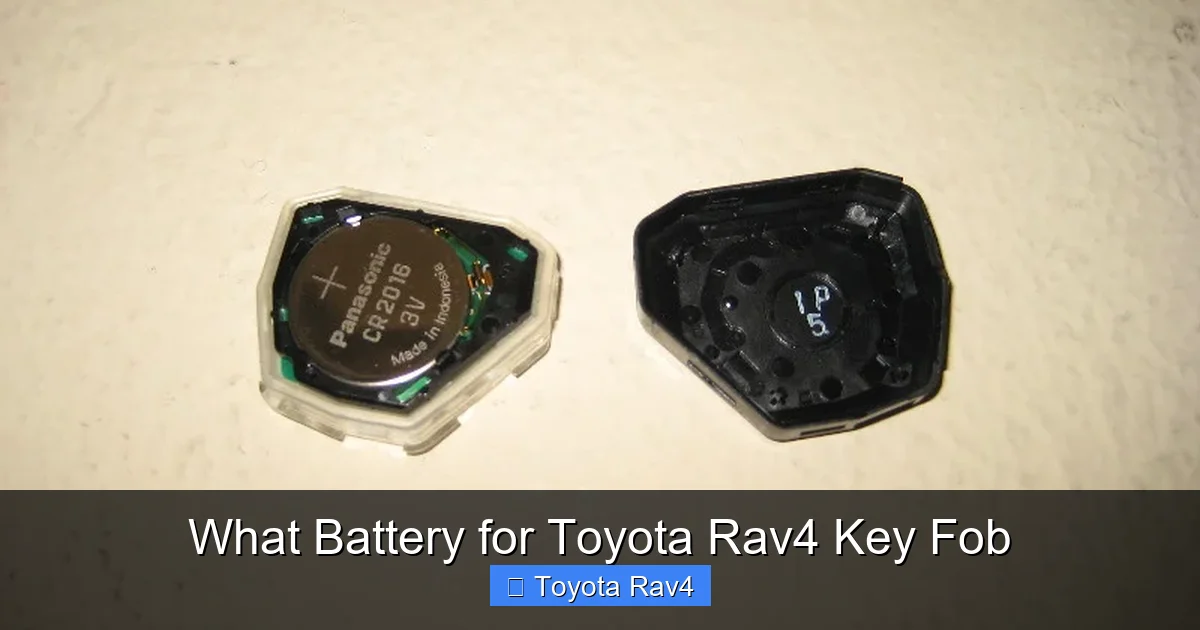
Replacing the battery in your Toyota RAV4 key fob is simple and essential for reliable performance. Most models use a CR2032 coin cell battery, but it’s important to check your specific year and fob type. With the right tools and a few minutes, you can save time and avoid dealership fees.
Key Takeaways
- CR2032 is the most common battery: The majority of Toyota RAV4 key fobs from 2001 to 2024 use the CR2032 3V lithium coin cell battery.
- Check your fob version: Some newer RAV4 models (especially 2019+) may use a smart key with a different battery or require professional reprogramming.
- DIY replacement saves money: You can replace the battery yourself in under 10 minutes with a small flathead screwdriver or coin.
- Use quality batteries: Opt for reputable brands like Panasonic, Duracell, or Energizer to ensure longer life and reliable performance.
- Handle with care: Avoid touching the battery contacts with bare fingers to prevent corrosion and reduced lifespan.
- Test after replacement: Always test all key fob functions (lock, unlock, panic, trunk) to confirm proper installation.
- Keep a spare: Store an extra CR2032 battery in your glove box for emergencies.
📑 Table of Contents
- What Battery for Toyota RAV4 Key Fob? A Complete Guide
- Why Your RAV4 Key Fob Battery Dies (And How to Prevent It)
- Identifying Your Toyota RAV4 Key Fob Type
- Step-by-Step: How to Replace the Battery in Your RAV4 Key Fob
- Best Batteries for Toyota RAV4 Key Fob
- Troubleshooting Common Key Fob Issues After Battery Replacement
- When to Visit a Dealership or Locksmith
- Final Thoughts: Keep Your RAV4 Key Fob Running Smoothly
What Battery for Toyota RAV4 Key Fob? A Complete Guide
Have you ever reached for your Toyota RAV4 key fob, pressed the button, and nothing happened? It’s frustrating—especially when you’re running late or caught in the rain. More often than not, the culprit is a dead battery. But don’t worry—replacing the battery in your RAV4 key fob is one of the easiest DIY fixes you can do, and it doesn’t require a trip to the dealership.
The good news? Most Toyota RAV4 key fobs use the same type of battery: the CR2032. This small, round, coin-shaped lithium battery is widely available, affordable, and lasts several years under normal use. Whether you drive a 2005 RAV4 or a 2023 hybrid model, chances are your key fob runs on a CR2032. However, there are a few exceptions—especially with newer smart key systems—so it’s important to know your fob type before swapping out the battery.
In this guide, we’ll walk you through everything you need to know about the battery for your Toyota RAV4 key fob. From identifying the right battery type to step-by-step replacement instructions, we’ve got you covered. We’ll also share tips on extending battery life, choosing the best brands, and troubleshooting common issues. By the end, you’ll be confident enough to handle this simple maintenance task yourself—saving time, money, and a lot of frustration.
Why Your RAV4 Key Fob Battery Dies (And How to Prevent It)
Key fob batteries don’t last forever. On average, a CR2032 battery in a Toyota RAV4 key fob will last between 3 to 5 years, depending on usage. If you use your fob frequently—locking and unlocking your car multiple times a day, using the panic button, or keeping it near other electronic devices—the battery may drain faster.
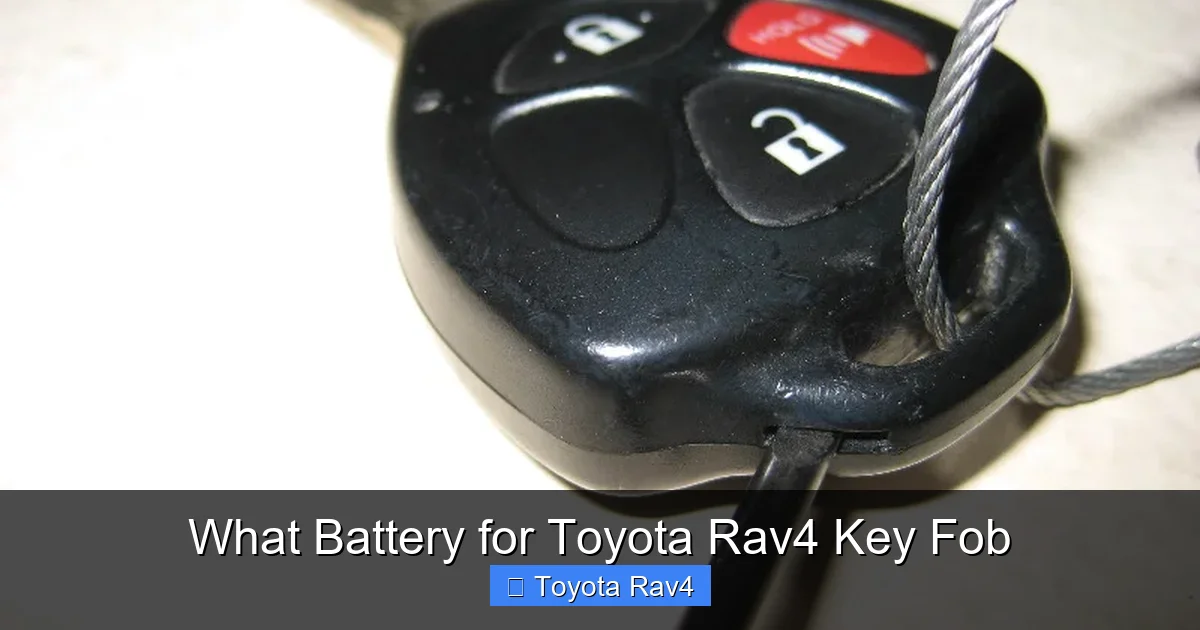
Visual guide about What Battery for Toyota Rav4 Key Fob
Image source: paulstravelpictures.com
Common Signs of a Dying Battery
How do you know it’s time for a replacement? Watch for these telltale signs:
- Reduced range: You have to stand closer to the car for the fob to work.
- Intermittent response: The fob works sometimes but not always.
- Buttons feel “mushy” or unresponsive: Physical feedback is weak or delayed.
- Dashboard warning light: Some RAV4 models display a “Key Not Detected” or “Smart Key” warning when the battery is low.
Factors That Drain the Battery Faster
Several habits and environmental factors can shorten your key fob’s battery life:
- Exposure to extreme temperatures: Leaving your keys in a hot car or cold garage can degrade the battery.
- Proximity to electronic devices: Keeping your fob near phones, tablets, or wireless chargers can cause interference and drain the battery.
- Frequent use of the panic button: This feature draws more power than regular locking/unlocking.
- Old or low-quality batteries: Cheap batteries may not hold a charge as long as premium brands.
How to Extend Battery Life
While you can’t stop the battery from eventually dying, you can delay it with a few smart habits:
- Avoid unnecessary button presses: Don’t “test” the fob repeatedly when it’s working fine.
- Store your keys wisely: Keep them in a cool, dry place away from electronics.
- Use the physical key when possible: If you’re parked near your destination, consider using the key blade to lock/unlock manually.
- Replace the battery proactively: If your fob is over 3 years old, consider swapping the battery before it fails.
Identifying Your Toyota RAV4 Key Fob Type
Not all RAV4 key fobs are created equal. Toyota has used several different designs over the years, and the battery type can vary slightly depending on the model year and trim level. Here’s how to identify which type you have.
Traditional Key Fob (2001–2018)
Most RAV4 models from the early 2000s up to 2018 use a standard key fob with a removable key blade. These fobs typically have four buttons: Lock, Unlock, Panic, and Trunk. They are rectangular or slightly curved and made of durable plastic. The battery compartment is usually accessed by sliding or prying open a small panel on the side or back.
Battery type: CR2032 (3V lithium coin cell)
Smart Key Fob (2019–2024)
Starting with the 2019 model year, Toyota introduced a new smart key system on higher trims (like the Limited and XLE Premium). These fobs are more compact, often made of metal and leather, and include features like push-button start, passive entry, and proximity sensors. Some of these fobs have a sealed design, making battery replacement more complex.
Battery type: Still typically CR2032, but access may require special tools or caution to avoid damaging the internal circuitry.
Hybrid and Plug-in Hybrid Fobs
RAV4 Hybrid and RAV4 Prime models usually come with the same smart key fobs as their gas-powered counterparts. The battery type remains the same (CR2032), but the fob may have additional buttons for EV mode or charging functions.
How to Confirm Your Fob’s Battery Type
If you’re unsure, here are a few ways to check:
- Check the owner’s manual: The manual often lists the battery type under “Key Fob” or “Maintenance.”
- Look inside the fob: After opening the battery compartment, the battery itself will be labeled (e.g., “CR2032”).
- Search online by model year: Use your RAV4’s year, trim, and fob photo to find matching examples.
- Visit a Toyota parts counter: Bring your fob to a dealership or auto parts store for confirmation.
Step-by-Step: How to Replace the Battery in Your RAV4 Key Fob
Replacing the battery in your Toyota RAV4 key fob is a quick and easy process. You don’t need special tools or technical skills—just a few minutes and a steady hand. Here’s how to do it safely and correctly.
What You’ll Need
- A new CR2032 3V lithium battery (preferably from a trusted brand)
- A small flathead screwdriver or a coin (like a quarter)
- A clean, well-lit workspace
- Optional: Tweezers or needle-nose pliers (for handling the battery)
Step 1: Locate the Battery Compartment
Most RAV4 key fobs have a small seam or indentation along the side or back. This is where the two halves of the fob meet. Look for a tiny slot or groove—this is your entry point.
Step 2: Open the Fob
Insert the flathead screwdriver or coin into the slot and gently twist. The fob should pop open along the seam. Be careful not to force it—too much pressure can crack the plastic.
Tip: If your fob has a screw (rare on RAV4 models), use a Phillips head screwdriver to remove it first.
Step 3: Remove the Old Battery
Once the fob is open, you’ll see the battery seated in a small circular compartment. Note the orientation—most CR2032 batteries have the positive (+) side facing up. Use your fingernail, tweezers, or the screwdriver to gently pry the old battery out.
Important: Avoid touching the battery’s metal contacts with your fingers. Oils from your skin can reduce conductivity and shorten the new battery’s life.
Step 4: Insert the New Battery
Place the new CR2032 battery into the compartment with the positive (+) side facing up. Make sure it sits flat and secure. You should hear a slight click or feel it snap into place.
Step 5: Reassemble the Fob
Align the two halves of the fob and press them together firmly until you hear a click. Ensure all edges are sealed and there are no gaps.
Step 6: Test the Key Fob
Stand near your RAV4 and test all functions:
- Press Lock and Unlock to confirm remote operation.
- Try the Panic button (usually a red horn icon).
- If your fob has a Trunk or Power Tailgate button, test that too.
- For smart key models, stand within a few feet of the car and press the Start button to ensure proximity detection works.
If everything works, you’re all set! If not, double-check the battery orientation and ensure the fob is fully closed.
Best Batteries for Toyota RAV4 Key Fob
Not all CR2032 batteries are created equal. While they may look identical, differences in quality, chemistry, and manufacturing can affect performance and lifespan. Here are our top recommendations for the best batteries to use in your RAV4 key fob.
1. Panasonic CR2032
Panasonic is a trusted name in electronics, and their CR2032 batteries are known for long life and reliable performance. They use lithium manganese dioxide chemistry, which provides stable voltage output even in extreme temperatures. Many Toyota owners report 5+ years of use with Panasonic batteries.
Pros: Long lifespan, consistent performance, widely available
Cons: Slightly more expensive than generic brands
2. Duracell 2032
Duracell is a household name for a reason. Their 2032 coin cells are durable, leak-resistant, and come with a 10-year shelf life. They’re a great choice if you want a battery that will last and won’t fail when you need it most.
Pros: Trusted brand, long shelf life, good value
Cons: Some users report slightly shorter life in high-drain devices
3. Energizer CR2032
Energizer offers high-quality lithium batteries with excellent performance in small devices. Their CR2032 is lightweight, reliable, and designed for low-drain applications like key fobs.
Pros: Reliable, affordable, widely available
Cons: May not last as long as Panasonic in extreme conditions
4. AmazonBasics CR2032
If you’re looking for a budget-friendly option, AmazonBasics offers a solid CR2032 at a lower price point. While not as long-lasting as premium brands, they’re a good choice for occasional use or as a backup.
Pros: Affordable, decent performance, easy to find
Cons: Shorter lifespan, not ideal for frequent use
What to Avoid
Stay away from no-name or ultra-cheap batteries sold in bulk packs. These often have inconsistent quality, shorter lifespans, and higher risk of leakage, which can damage your key fob.
Troubleshooting Common Key Fob Issues After Battery Replacement
Even after replacing the battery, you might encounter issues with your RAV4 key fob. Here’s how to troubleshoot the most common problems.
Fob Still Doesn’t Work
If your key fob remains unresponsive after a battery change, try these steps:
- Check battery orientation: Ensure the positive (+) side is facing up.
- Clean the contacts: Use a cotton swab and rubbing alcohol to clean the metal contacts inside the fob.
- Reset the fob: Some models require a reset. Try holding the Lock and Unlock buttons simultaneously for 10–15 seconds.
- Test with a second battery: The new battery might be defective. Try another CR2032.
Smart Key Not Detected
For 2019+ RAV4 models with smart keys, the car may not recognize the fob even with a new battery. This could be due to:
- Low battery voltage: Even a new battery might not have enough power if it’s old or stored improperly.
- Interference: Nearby electronics (like a phone or tablet) can block the signal.
- Faulty fob: The internal transmitter may be damaged.
Solution: Try placing the fob in the backup slot (usually inside the center console or near the steering column) and pressing Start. If it works, the fob may need reprogramming by a dealer.
Buttons Feel Stiff or Unresponsive
If the buttons don’t click properly after reassembly, the fob may not be fully closed or the internal membrane could be misaligned.
- Open the fob again and check that all components are seated correctly.
- Ensure the rubber button pad is properly aligned over the circuit board.
- Reassemble carefully and test again.
When to Visit a Dealership or Locksmith
While most battery replacements are DIY-friendly, there are situations where professional help is needed.
Sealed or Damaged Fobs
Some newer smart key fobs are sealed and not designed for user replacement. Attempting to open them can damage the internal electronics. In these cases, visit a Toyota dealership or a qualified locksmith.
Fob Needs Reprogramming
If your key fob stops working after a battery change and won’t respond to any troubleshooting, it may need to be reprogrammed. This is common with advanced smart keys and usually requires specialized equipment.
Multiple Fobs Not Working
If more than one fob stops working around the same time, the issue might be with the car’s receiver or antenna—not the batteries. A technician can diagnose and fix this.
Final Thoughts: Keep Your RAV4 Key Fob Running Smoothly
Replacing the battery in your Toyota RAV4 key fob is a simple task that can save you time, money, and stress. With the right battery—typically a CR2032—and a few basic tools, you can restore full functionality in under 10 minutes. By choosing quality batteries, handling them with care, and testing your fob after replacement, you’ll ensure reliable performance for years to come.
Remember, prevention is key. Keep a spare CR2032 in your glove box, avoid exposing your fob to extreme conditions, and replace the battery proactively every 3–5 years. And if you ever run into issues, don’t hesitate to consult your owner’s manual or seek professional help.
Your RAV4 is designed for adventure, convenience, and reliability—and that includes your key fob. With a little maintenance, you’ll never be left standing in the rain wondering why your car won’t unlock.
Frequently Asked Questions
What battery does a Toyota RAV4 key fob use?
Most Toyota RAV4 key fobs use a CR2032 3V lithium coin cell battery. This includes models from 2001 to 2024, though some newer smart keys may have sealed designs.
Can I replace the battery in my RAV4 key fob myself?
Yes, in most cases you can. Traditional fobs are easy to open with a screwdriver or coin. Smart keys may require more care, but many can still be replaced at home.
How often should I replace my RAV4 key fob battery?
Every 3 to 5 years, depending on usage. Replace it sooner if you notice reduced range or unresponsive buttons.
Will a dead key fob battery prevent my car from starting?
For smart key models, yes—if the battery is completely dead, the car may not detect the fob. Use the physical key or place the fob in the backup slot to start the engine.
Can I use any CR2032 battery in my RAV4 key fob?
Yes, but for best results, use a high-quality brand like Panasonic, Duracell, or Energizer. Avoid cheap, no-name batteries.
What if my key fob still doesn’t work after replacing the battery?
Check the battery orientation, clean the contacts, and ensure the fob is fully closed. If it still fails, the fob may need reprogramming or repair by a professional.