
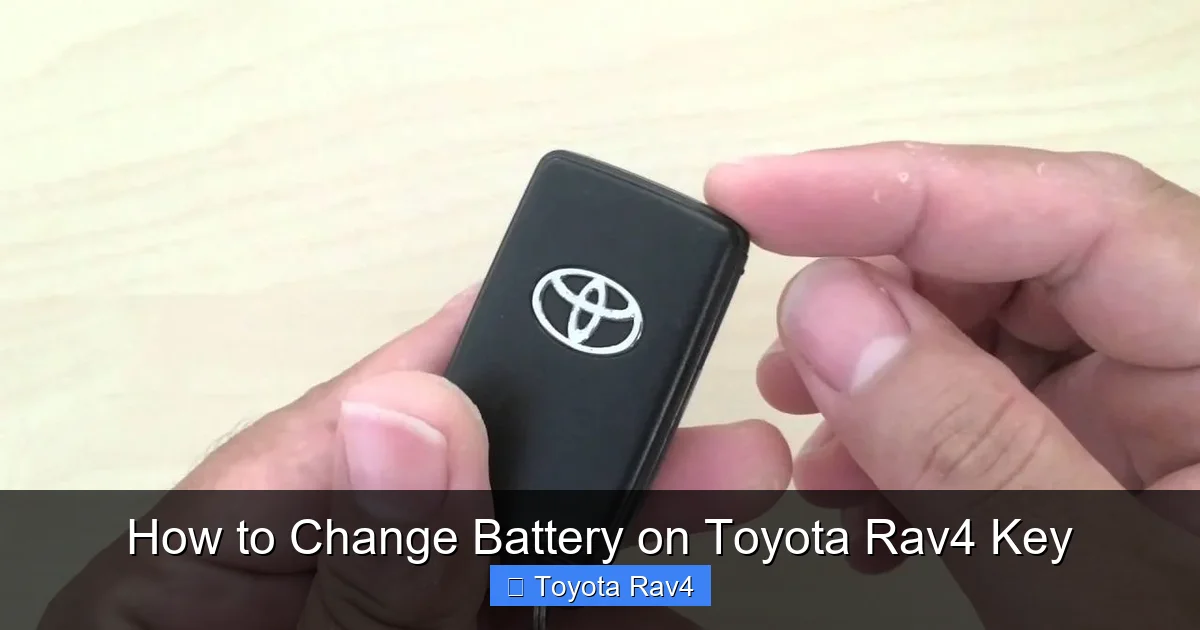
Changing the battery on your Toyota RAV4 key fob is quick, simple, and requires no special tools. With just a small flathead screwdriver or coin and a fresh CR2032 battery, you can restore full functionality in under five minutes.
If you’ve ever been stranded outside your Toyota RAV4 because the key fob suddenly stopped working—even though the car battery is fine—you know how frustrating that moment can be. It’s not uncommon: key fobs rely on tiny coin-cell batteries that slowly lose power over time. But here’s the good news: **changing the battery on your Toyota RAV4 key is one of the easiest DIY fixes you can do at home**, and it takes less than five minutes. No dealership visit, no expensive service fee—just a simple swap that saves you time, money, and stress.
Whether you drive a 2010 RAV4 with a traditional flip-key fob or a 2023 model with a sleek smart key, the process is remarkably similar. Toyota designs its key fobs with user-friendly access in mind, so even if you’re not mechanically inclined, you’ll find this task surprisingly straightforward. In this guide, we’ll walk you through every step—from identifying your key type to testing the new battery—so you can get back to unlocking your RAV4 with confidence. Plus, we’ll share pro tips to avoid common mistakes and extend the life of your new battery.
Key Takeaways
- Use the correct battery type: Always replace your RAV4 key fob battery with a CR2032 3-volt lithium coin cell for optimal performance.
- No special tools needed: A small flathead screwdriver, butter knife, or even a coin can open most RAV4 key fobs—avoid using excessive force.
- Handle the circuit board carefully: Touch only the edges of internal components to prevent static damage or misalignment.
- Test all functions after replacement: Ensure lock, unlock, panic, and trunk release (if applicable) work before reassembling fully.
- Replace batteries proactively: If your key range shortens or buttons respond slowly, it’s likely time for a new battery—don’t wait until it dies completely.
- Keep spare batteries handy: Store an extra CR2032 in your glove box or emergency kit to avoid being locked out unexpectedly.
- Consult your owner’s manual: For model-specific details (especially for newer smart keys), your RAV4 manual offers reliable guidance.
📑 Table of Contents
- Why Your RAV4 Key Fob Battery Dies (And How to Spot It)
- Identifying Your Toyota RAV4 Key Fob Type
- Tools and Materials You’ll Need
- Step-by-Step Guide to Changing the Battery
- Troubleshooting Common Issues
- Tips to Extend Your Key Fob Battery Life
- What to Do If Your Fob Dies Completely
- When to Seek Professional Help
- Final Thoughts
Why Your RAV4 Key Fob Battery Dies (And How to Spot It)
Key fobs are powered by small lithium batteries—typically the CR2032 type—that last anywhere from two to five years, depending on usage. Over time, these batteries naturally degrade. But how do you know when it’s time for a replacement? Look for these telltale signs:
– **Reduced range**: You have to stand right next to your RAV4 for the locks to respond.
– **Delayed response**: Buttons take a few seconds to register or require multiple presses.
– **Dashboard warning light**: Some newer RAV4 models display a “Key Not Detected” or “Smart Key System” alert on the instrument cluster.
– **Intermittent function**: The fob works sometimes but fails at random moments.
It’s important to note that a dead key fob battery won’t affect your car’s ability to start if you have a push-button ignition—you can still use the physical key blade or hold the fob against the start button (more on that later). However, you’ll lose remote locking/unlocking, which is inconvenient and potentially unsafe in bad weather or unfamiliar areas.
Don’t wait until your fob dies completely. Proactive replacement prevents unexpected lockouts and ensures your security features—like the panic alarm—remain functional when you need them most.
Identifying Your Toyota RAV4 Key Fob Type
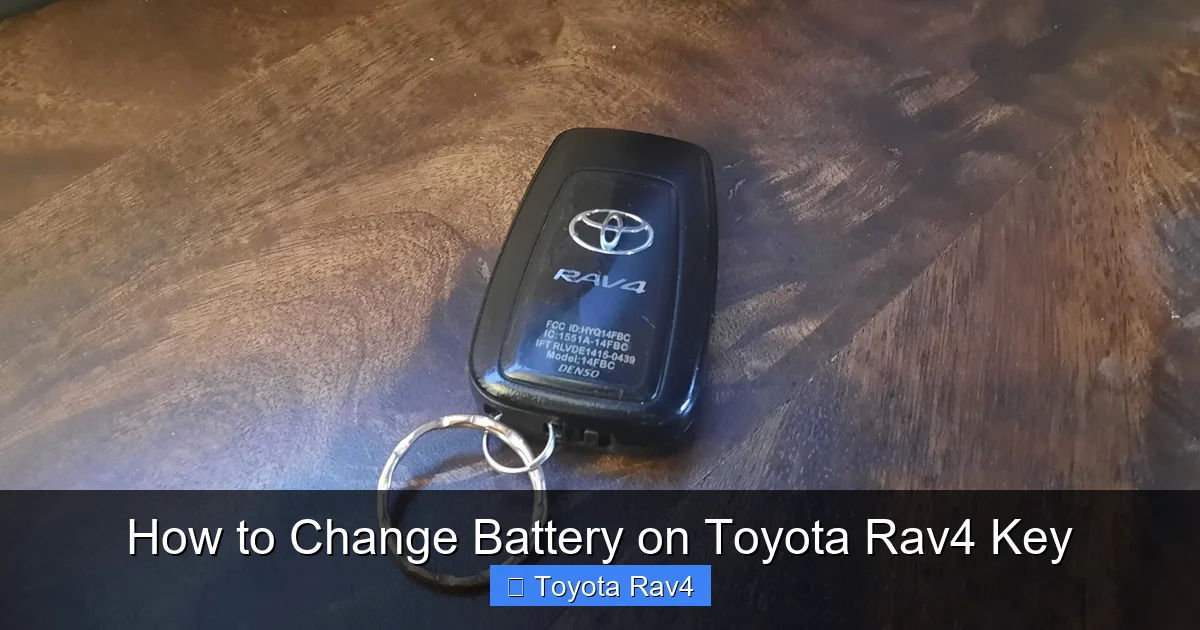
Visual guide about How to Change Battery on Toyota Rav4 Key
Image source: rav4resource.com
Before you begin, it’s essential to know which kind of key fob you have. Toyota has used several designs over the years, and while the battery replacement process is similar, the opening method varies slightly.
Traditional Flip-Key Fob (2006–2018 Models)
This is the most common style found in older RAV4s. It features a metal key blade that flips out from the side when you press a release button. The fob itself is rectangular with four buttons: Lock, Unlock, Panic, and Trunk Release (on some trims). To open it, you’ll usually slide a small latch or use a tool to pry apart the two halves.
Smart Key Fob (2019–Present Models)
Newer RAV4s come with a sleek, credit-card-style smart key. These lack a flip-out blade but often include a hidden mechanical key inside a small door on the side. Smart keys allow keyless entry and push-button start. Opening them requires locating a tiny release button or sliding mechanism—often near the keyring loop.
Hybrid or Limited Trim Keys
Some higher-end trims include additional features like remote start or rear hatch control. While the internal layout may differ slightly, the battery type (CR2032) and replacement steps remain consistent.
If you’re unsure which fob you have, check your owner’s manual or look for part numbers printed on the back (e.g., “Glove Box Key” or “Smart Key”). You can also visit Toyota’s official parts website and enter your VIN to confirm compatibility.
Tools and Materials You’ll Need
The beauty of this repair is its simplicity. You don’t need a toolkit or technical expertise—just a few household items:
– **One CR2032 3-volt lithium battery**: Available at drugstores, supermarkets, electronics stores, or online. Buy a reputable brand (like Panasonic, Duracell, or Energizer) for longer life.
– **Small flathead screwdriver**: A standard jeweler’s screwdriver works best, but a butter knife, credit card, or even a coin can suffice in a pinch.
– **Clean, well-lit workspace**: A kitchen table or desk under a lamp prevents losing tiny parts.
– **Optional: Tweezers or needle-nose pliers**: Helpful for handling the small battery if your fingers are large.
Avoid using metal tools that could scratch or short-circuit the fob’s internal components. Plastic spudgers (often included in phone repair kits) are ideal but not necessary.
Pro tip: Keep a spare CR2032 in your glove compartment. If your fob dies while you’re away from home, you can perform the swap in a parking lot without calling roadside assistance.
Step-by-Step Guide to Changing the Battery
Now for the main event! Follow these steps carefully, and you’ll have a fully functional key fob in minutes.
Step 1: Locate the Release Mechanism
For **flip-key fobs**, look for a small button or sliding latch near the keyring hole. Press or slide it to release the metal key blade. Once the blade is out, you’ll see a seam running along the edge of the fob.
For **smart keys**, examine the side edges. Many have a tiny recessed button near the keyring loop. Press it with a paperclip or pin to pop open a small door revealing the mechanical key. Remove the mechanical key, then look for a seam along the fob’s perimeter.
Step 2: Open the Fob Casing
Insert your flathead screwdriver (or coin) into the seam where the two plastic halves meet. Gently twist or wiggle the tool to separate the casing. Start at one end and work your way around—don’t force it. The plastic clips are designed to snap apart with light pressure.
If you’re using a coin, place it in the groove and turn like a screwdriver. This method works well on older RAV4 fobs with visible seams.
Once the halves separate, set the front cover aside. You’ll now see the internal circuit board and the circular battery seated in a plastic tray.
Step 3: Remove the Old Battery
The CR2032 battery sits in a small holder with a metal contact on one side. Use your screwdriver or fingernail to gently pry the battery upward from the edge. It should pop out easily.
⚠️ **Important**: Note the orientation of the battery before removing it. The **positive side (+)** usually faces up (toward you), while the negative side (-) rests against the metal contact. Taking a quick photo with your phone can help you remember.
Avoid touching the circuit board with your bare fingers—oils and static electricity can damage sensitive components.
Step 4: Insert the New Battery
Place the new CR2032 battery into the tray with the **positive side facing up**. Press it down gently until it sits flush. You should hear a soft click as it seats properly.
Double-check the orientation! Installing the battery backward won’t damage the fob, but it won’t work either—and you’ll waste time troubleshooting.
Step 5: Reassemble the Fob
Align the two halves of the fob and press them together firmly along the edges. You’ll hear several clicks as the plastic clips snap back into place. Make sure there are no gaps—a loose seam can let moisture in and shorten the fob’s lifespan.
If your fob has a mechanical key, reinsert it into its slot and ensure it locks securely.
Step 6: Test All Functions
Stand within 10–15 feet of your RAV4 and test each button:
– Press **Lock** → doors should chirp and lock.
– Press **Unlock** → doors should unlock.
– Hold **Panic** → horn should sound.
– Press **Trunk** (if equipped) → rear hatch should release.
If any function fails, reopen the fob and verify the battery orientation. Also, ensure the circuit board wasn’t shifted during reassembly.
Troubleshooting Common Issues
Even with careful handling, things can go wrong. Here’s how to fix the most frequent problems:
Fob Still Doesn’t Work After Battery Replacement
First, confirm you used a **CR2032** battery—not a CR2025 or CR2016 (they’re thinner and won’t make proper contact). Next, check for corrosion on the battery contacts. If you see white or green residue, clean it with a cotton swab dipped in rubbing alcohol.
If the issue persists, your fob may need reprogramming. However, **most Toyota RAV4 key fobs do not require reprogramming after a battery change**. Only if the fob was fully disassembled for an extended period or exposed to moisture might synchronization be needed. In rare cases, visit a Toyota dealer or locksmith for assistance.
Buttons Feel Stiff or Unresponsive
This usually means the rubber contact pads inside the fob got misaligned. Open the fob again and ensure the silicone membrane sits flat over the circuit board. Avoid stretching or folding it.
Water Damage or Moisture Inside
If you see condensation or droplets, dry the fob thoroughly with a soft cloth. Leave it in a warm, dry place (like near a lamp) for 24 hours. Do not use a hairdryer—heat can warp plastic. If corrosion is present, professional cleaning may be required.
Lost Mechanical Key
Don’t panic! Most RAV4s with smart keys have a spare mechanical key hidden inside the fob. If you’ve lost both, contact a Toyota dealer with your VIN—they can cut a new key (though it may cost $100–$200).
Tips to Extend Your Key Fob Battery Life
A little prevention goes a long way. Follow these habits to maximize your next battery’s lifespan:
– **Avoid extreme temperatures**: Don’t leave your fob in direct sunlight or a freezing car. Heat and cold accelerate battery drain.
– **Keep it clean**: Wipe the fob with a dry cloth regularly. Dirt and grime can interfere with button contact.
– **Don’t press buttons unnecessarily**: Frequent use (like holding the panic button) drains the battery faster.
– **Store smartly**: When not in use, keep the fob in a cool, dry place—not in your pocket next to coins or keys that could short the contacts.
– **Use the physical key when possible**: If you’re just opening the driver’s door, use the mechanical key instead of the remote to conserve power.
What to Do If Your Fob Dies Completely
So your battery died, and you’re locked out? No problem—Toyota has built-in backups:
– **For push-button start models**: Hold the fob directly against the start button (usually marked with a key symbol) while pressing the brake pedal. The car will detect the fob’s signal even with a dead battery.
– **For traditional keys**: Use the mechanical key blade to unlock the driver’s door manually. Once inside, insert the key into the ignition or hold the fob near the start button as described above.
– **Remote start won’t work**: If your RAV4 has remote start, it requires a working battery. Use the manual method until you replace the battery.
Always carry your fob with you—even if the battery is low—so you’re never truly locked out.
When to Seek Professional Help
While changing the battery is a DIY-friendly task, there are rare cases where professional assistance is wise:
– If the fob casing is cracked or damaged, water may have compromised internal components.
– If the fob was dropped and buttons are unresponsive even after battery replacement.
– If you’re uncomfortable handling small electronics or fear damaging the circuit board.
In these situations, visit a Toyota service center or a reputable auto locksmith. Most dealerships charge $20–$50 for a battery replacement—but now you know you can do it yourself for under $5!
Final Thoughts
Changing the battery on your Toyota RAV4 key fob isn’t just a practical skill—it’s a small act of self-reliance that saves you time, money, and frustration. With just a CR2032 battery and a minute of your time, you can restore full functionality and avoid the hassle of emergency lockouts. Remember: **proactive maintenance beats reactive panic every time**.
Keep a spare battery in your car, test your fob regularly, and don’t ignore those early warning signs. Your RAV4 is designed to be dependable, and your key fob should be too. Now that you know how simple it is, you’ll never dread a dying fob again.
Frequently Asked Questions
What type of battery does a Toyota RAV4 key fob use?
The Toyota RAV4 key fob uses a CR2032 3-volt lithium coin cell battery. This is the same battery used in many watches, calculators, and other small electronics. Always verify the model number before purchasing.
Can I use a different battery if I don’t have a CR2032?
No—using a different battery (like CR2025 or CR2016) may not fit properly or provide enough power. The CR2032 is specifically designed for Toyota key fobs and ensures reliable performance.
Will changing the battery reset my key fob or require reprogramming?
In most cases, no. Toyota RAV4 key fobs retain their programming after a battery change. Only if the fob was fully disassembled for an extended period or exposed to moisture might reprogramming be needed.
How often should I replace my RAV4 key fob battery?
Every 2–5 years, depending on usage. If you notice reduced range or delayed responses, it’s time for a replacement—don’t wait until the fob stops working completely.
Can I change the battery while the car is running?
Yes, but it’s not necessary. The key fob operates independently of the car’s electrical system. You can safely replace the battery anytime, even with the engine off.
What if my smart key fob won’t open with a screwdriver?
Some newer RAV4 smart keys have a hidden release button. Look for a small pinhole near the keyring loop—press it with a paperclip to release the mechanical key, then locate the seam to pry open the fob.