

Turning traction control on in your Toyota RAV4 is simple and essential for safe driving in slippery conditions. This guide walks you through the process for every model year, explains when to use it, and clarifies common misconceptions—so you can drive with confidence no matter the weather.
Key Takeaways
- Locate the Traction Control button: Usually found near the gear shifter or center console, labeled “VSC OFF” or “TRAC OFF.”
- Press to toggle on/off: A short press turns traction control off; press again to reactivate it.
- Use it in slippery conditions: Keep it on during rain, snow, ice, or loose gravel for better stability.
- Don’t disable it unnecessarily: Turning it off reduces safety and increases accident risk in most driving scenarios.
- Understand the warning lights: A flashing or solid “VSC OFF” light means the system is disabled—press the button to restore it.
- All RAV4 models have it: From 2001 to the latest 2024 models, traction control is standard on every Toyota RAV4.
- Reset after maintenance: If the system was disabled during service, always re-enable it before driving.
📑 Table of Contents
- Why Traction Control Matters in Your Toyota RAV4
- What Is Traction Control and How Does It Work?
- Where to Find the Traction Control Button in Your RAV4
- Step-by-Step: How to Turn Traction Control On
- When Should You Turn Traction Control On (and Off)?
- Understanding Dashboard Warning Lights
- Troubleshooting Common Issues
- Conclusion
Why Traction Control Matters in Your Toyota RAV4
Driving a Toyota RAV4 means you’re behind the wheel of one of the most reliable and versatile SUVs on the road. Whether you’re navigating city streets, cruising down the highway, or tackling a snowy mountain pass, your RAV4 is built to handle it all. But one feature that often goes unnoticed—yet plays a critical role in your safety—is traction control.
Traction control is a smart safety system designed to prevent your wheels from spinning when you accelerate, especially on slippery surfaces. It works by monitoring wheel speed and automatically applying brakes or reducing engine power if it detects a loss of grip. In simple terms, it helps your RAV4 maintain control when the road gets tough.
You might not think about it every day, but traction control is quietly working in the background, helping you avoid skids, slides, and loss of control. It’s especially useful during sudden accelerations, sharp turns, or when driving on wet, icy, or uneven terrain. And the best part? It’s standard on every Toyota RAV4, from the earliest models to the latest 2024 versions.
But here’s the catch: many drivers don’t know how to turn traction control on—or even realize it can be turned off. That’s why understanding how this system works and how to manage it is so important. Whether you’re a new RAV4 owner or have been driving one for years, this guide will walk you through everything you need to know about turning traction control on, when to use it, and why it’s a game-changer for safe driving.
What Is Traction Control and How Does It Work?
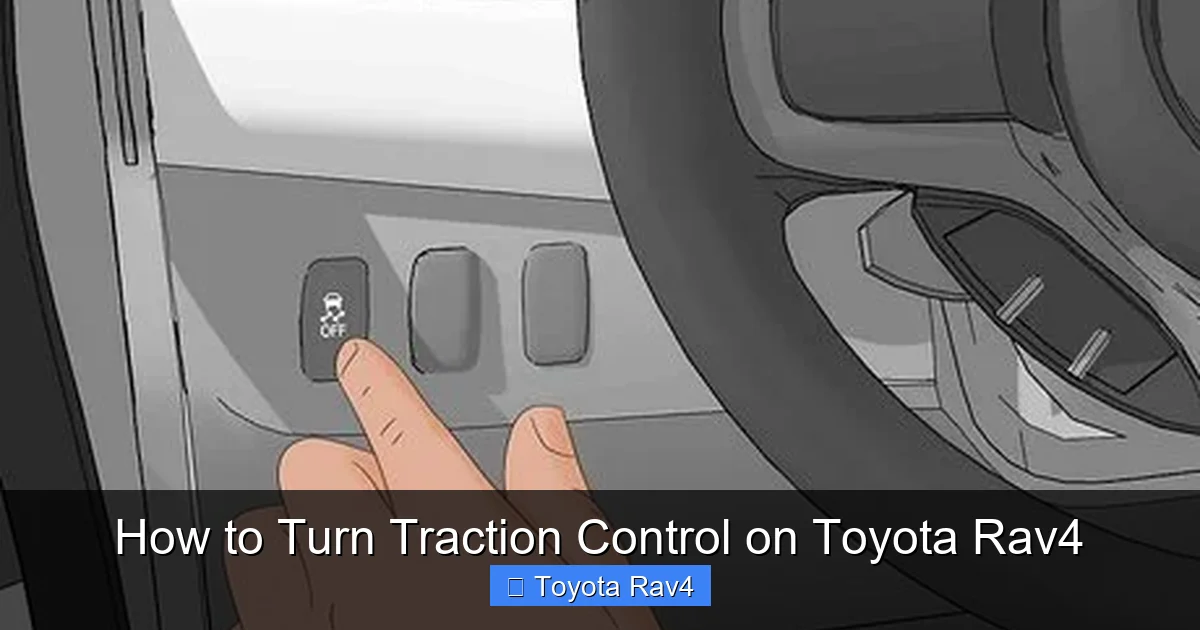
Visual guide about How to Turn Traction Control on Toyota Rav4
Image source: wikihow.com
Before we dive into the steps, let’s break down what traction control actually is and how it keeps you safe. Think of it as your vehicle’s “anti-spin” system. When you press the gas pedal, your wheels need grip to move the car forward. But if the road is slippery—say, covered in rain, snow, or gravel—your tires might start to spin instead of gripping the surface. That’s when traction control steps in.
The system uses sensors at each wheel to monitor how fast they’re rotating. If one wheel starts spinning faster than the others (a sign of slipping), the system instantly reacts. It can do one of two things: apply the brake to that specific wheel or reduce engine power through the throttle. This helps regain traction and keeps your RAV4 moving in the direction you want.
It’s important to note that traction control is part of a larger safety suite in your RAV4, often working alongside Vehicle Stability Control (VSC) and Anti-lock Braking System (ABS). These systems communicate with each other to give you the best possible control in challenging conditions.
For example, imagine you’re accelerating from a stoplight on a rainy day. Without traction control, your front wheels might spin, causing the car to lurch or lose direction. With traction control on, the system detects the slip and gently slows the spinning wheel, allowing the other wheel to maintain grip and move the vehicle forward smoothly.
This technology isn’t just for extreme weather. It also helps during quick lane changes, driving on loose gravel, or even when you accidentally hit a patch of oil or mud. In short, traction control is like having a co-pilot that’s always watching your wheels and stepping in when things get slippery.
Where to Find the Traction Control Button in Your RAV4
Now that you know why traction control is important, let’s talk about how to turn it on. The good news? It’s easier than you might think. But first, you need to know where to look.
In most Toyota RAV4 models, the traction control button is located near the gear shifter or on the center console. It’s usually labeled “VSC OFF” or “TRAC OFF.” Yes, it says “OFF”—that’s because pressing it turns the system *off*. To turn traction control *on*, you simply press it again.
Let’s break this down by model year so you can find it quickly:
2001–2005 Toyota RAV4
In the first-generation RAV4, the button is typically found on the lower center console, just to the left of the gear shifter. It’s a small, rectangular button with “VSC OFF” printed on it. The system is on by default when you start the car, so if the light isn’t on, traction control is active.
2006–2012 Toyota RAV4
In these models, the button moved slightly but is still near the gear shifter. Look for a button labeled “VSC OFF” on the center console, often near the climate controls or cup holders. Some trims may have it integrated into a cluster of other vehicle settings buttons.
2013–2018 Toyota RAV4
Starting in 2013, Toyota redesigned the interior, and the button became more standardized. It’s usually located on the lower dashboard or center console, often grouped with other driving mode buttons like “ECO” or “SPORT.” Again, it’s labeled “VSC OFF.”
2019–2024 Toyota RAV4
In the latest models, including the redesigned 2019 and newer RAV4, the button is typically found on the center console, just below the touchscreen or near the gear selector. It’s still labeled “VSC OFF,” and the layout is consistent across LE, XLE, Limited, and TRD Off-Road trims.
No matter which RAV4 you drive, the button is usually easy to spot once you know what to look for. If you’re having trouble finding it, check your owner’s manual—it will have a diagram showing the exact location for your specific model.
Step-by-Step: How to Turn Traction Control On
Now for the main event: how to turn traction control on in your Toyota RAV4. The process is simple, but it’s important to do it correctly to ensure the system is active when you need it.
Here’s a step-by-step guide:
Step 1: Start Your Vehicle
Turn on your RAV4 and let it idle for a few seconds. Make sure the engine is running and the dashboard lights have stabilized. This ensures all electronic systems, including traction control, are powered up and ready.
Step 2: Locate the “VSC OFF” Button
Find the button labeled “VSC OFF” near the gear shifter or center console. It’s usually a small, rectangular button with a yellow or orange icon.
Step 3: Check the Dashboard Light
Look at your instrument cluster. If the “VSC OFF” or “TRAC OFF” light is illuminated, it means traction control is currently disabled. If the light is off, the system is already active—no action needed.
Step 4: Press the Button to Reactivate
If the light is on, press the “VSC OFF” button once. You should hear a soft click, and the light on the dashboard should turn off. This means traction control is now active.
Step 5: Confirm It’s Working
To double-check, gently accelerate from a stop on a dry, flat surface. The system should engage automatically if needed. You won’t usually feel it working unless conditions are slippery, but knowing it’s on gives you peace of mind.
That’s it! The entire process takes less than 10 seconds. And remember: traction control is designed to be on by default. Toyota engineers set it up this way because it’s safer for most driving conditions.
One common mistake drivers make is pressing the button accidentally—maybe while reaching for something or adjusting the seat. If you notice the “VSC OFF” light is on, just press the button again to turn traction control back on.
When Should You Turn Traction Control On (and Off)?
Now that you know how to turn it on, let’s talk about when you should—and shouldn’t—use it. Traction control is a safety feature, but like any tool, it’s not always needed.
When to Keep It On
In most situations, you should leave traction control on. Here are some common scenarios where it’s especially helpful:
– **Rainy or wet roads:** Water reduces tire grip, increasing the risk of hydroplaning or spinning.
– **Snow and ice:** Cold weather makes roads slippery, and traction control helps prevent wheel slip during acceleration.
– **Loose surfaces:** Gravel, sand, or dirt roads can cause wheels to lose traction easily.
– **Sharp turns or curves:** The system helps maintain stability when cornering at higher speeds.
– **Hilly terrain:** Going uphill on a slippery surface? Traction control prevents wheel spin and helps you climb smoothly.
In short, if the road isn’t perfectly dry and paved, traction control is your friend.
When You Might Turn It Off
There are a few rare cases where you might want to disable traction control—but only temporarily and with caution:
– **Stuck in snow, mud, or sand:** If your RAV4 is stuck and the wheels are spinning without moving, turning off traction control can allow the wheels to spin freely, helping you “rock” the vehicle out. Once you’re free, turn it back on immediately.
– **Using snow chains:** Some drivers disable it when using chains, though modern systems usually work fine with them.
– **Performance driving (on a track):** Enthusiasts might turn it off for more control during aggressive driving—but this should only be done in safe, controlled environments, not on public roads.
Important: Never drive with traction control off in normal conditions. It significantly increases the risk of losing control, especially in bad weather.
Understanding Dashboard Warning Lights
Your RAV4’s dashboard is like a communication hub for your vehicle’s systems. When it comes to traction control, there are a few lights you should know:
– **Solid “VSC OFF” light:** This means traction control and vehicle stability control are both disabled. Press the button to turn them back on.
– **Flashing “VSC” or “TRAC” light:** This usually means the system is actively working—like when you’re accelerating on a slippery road. It’s normal and nothing to worry about.
– **“Check Engine” or “ABS” light:** If these come on along with the VSC light, there may be a deeper issue. Have your vehicle inspected by a technician.
If you see a warning light you don’t recognize, don’t ignore it. Refer to your owner’s manual or visit a Toyota service center for help.
Troubleshooting Common Issues
Sometimes, traction control might not work as expected. Here are a few common issues and how to fix them:
– **Button doesn’t respond:** Make sure the vehicle is on and the system isn’t locked due to a fault. Try turning the car off and on again.
– **Light stays on after pressing button:** This could indicate a system error. Check for other warning lights or have the vehicle scanned for codes.
– **System turns off randomly:** This might be due to a loose connection or sensor issue. A professional diagnostic is recommended.
Most issues are minor and can be resolved with a simple reset or software update.
Conclusion
Turning traction control on in your Toyota RAV4 is a quick, easy step that can make a big difference in your safety. Whether you’re driving in the rain, snow, or just want extra peace of mind, keeping this system active is one of the smartest things you can do.
From locating the “VSC OFF” button to understanding when to use it, this guide has covered everything you need to know. Remember: traction control is designed to help you, not hinder you. Use it wisely, keep it on in most conditions, and enjoy the confidence that comes with driving a safer, smarter SUV.
Your RAV4 is built to handle the road—make sure its safety systems are too.
Frequently Asked Questions
How do I know if traction control is on in my RAV4?
Check your dashboard. If the “VSC OFF” or “TRAC OFF” light is off, traction control is active. If the light is on, the system is disabled and needs to be turned back on.
Can I drive my RAV4 with traction control off?
Yes, but it’s not recommended in normal conditions. Disabling it increases the risk of skidding or losing control, especially in wet or slippery weather.
Why did my traction control turn off by itself?
It likely didn’t. The system is on by default. If the light is on, someone (or something) may have pressed the “VSC OFF” button. Simply press it again to reactivate.
Does turning off traction control improve fuel economy?
Not significantly. While reducing engine power slightly can affect efficiency, the difference is minimal. The safety benefits of keeping it on far outweigh any tiny fuel savings.
Is traction control the same as ABS?
No. ABS prevents wheel lockup during braking, while traction control prevents wheel spin during acceleration. They work together but serve different purposes.
Do all Toyota RAV4 models have traction control?
Yes. Every Toyota RAV4 model from 2001 to 2024 comes standard with traction control and Vehicle Stability Control (VSC) as part of its safety package.