
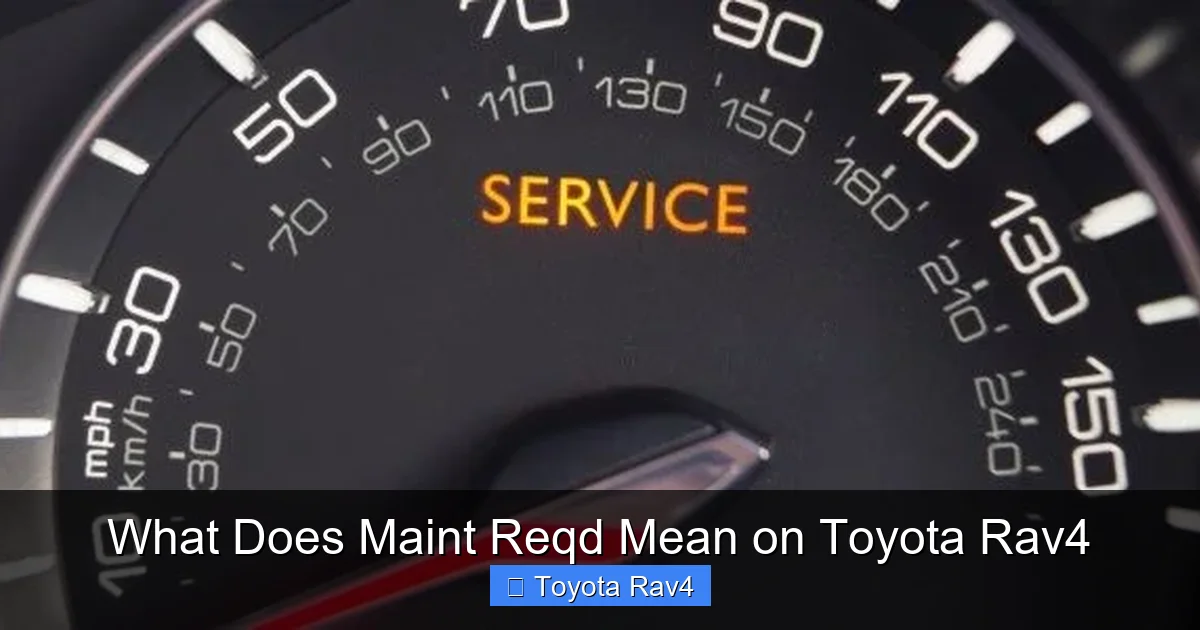
The “Maint Reqd” light on your Toyota RAV4 is a maintenance reminder, not a warning of immediate danger. It alerts you when scheduled service—like oil changes or tire rotations—is due based on mileage or time. Understanding and responding to this light helps keep your RAV4 running smoothly and prevents costly repairs.
Key Takeaways
- Maintenance Required Light: The “Maint Reqd” indicator is a routine service reminder, not an emergency warning.
- Scheduled Maintenance: It appears based on mileage or time intervals set by Toyota’s maintenance schedule.
- Common Triggers: Oil changes, tire rotations, fluid top-offs, and brake inspections often trigger the light.
- Reset After Service: The light must be manually reset using the odometer or trip meter button after maintenance.
- Don’t Ignore It: Skipping maintenance can reduce fuel efficiency, performance, and long-term reliability.
- DIY Reset Possible: Most RAV4 owners can reset the light at home without a mechanic.
- Use Owner’s Manual: Always refer to your RAV4’s manual for model-specific instructions and service details.
📑 Table of Contents
What Does “Maint Reqd” Mean on a Toyota RAV4?
If you’ve ever been driving your Toyota RAV4 and noticed a small yellow or orange light on your dashboard that says “Maint Reqd,” you might have felt a moment of panic. Is something wrong? Is your car about to break down? Should you pull over immediately?
Relax—this light is not a sign of trouble. In fact, it’s quite the opposite. The “Maint Reqd” light is Toyota’s way of gently reminding you that it’s time for routine maintenance. Think of it like your car saying, “Hey, I’ve been working hard—time for a little tune-up!”
This indicator is part of Toyota’s Maintenance Reminder System, designed to help owners stay on top of regular service intervals. It’s especially helpful for busy drivers who might forget when their last oil change was or when their tires were rotated. The system tracks your driving habits and mileage, then alerts you when it’s time for scheduled maintenance.
Unlike warning lights such as the check engine light or oil pressure light—which indicate potential problems—the “Maint Reqd” light is purely informational. It doesn’t mean your car is unsafe to drive. However, ignoring it for too long can lead to reduced performance, lower fuel efficiency, and even more serious mechanical issues down the road.
In this guide, we’ll walk you through everything you need to know about the “Maint Reqd” light on your Toyota RAV4. From what triggers it to how to reset it after service, we’ve got you covered. Whether you’re a first-time RAV4 owner or a long-time fan of the compact SUV, understanding this light will help you keep your vehicle in top shape for years to come.
How the Maintenance Reminder System Works

Visual guide about What Does Maint Reqd Mean on Toyota Rav4
Image source: timsquality.com
Toyota’s Maintenance Reminder System is a smart, proactive feature built into most RAV4 models from the early 2000s onward. It’s designed to take the guesswork out of vehicle maintenance by automatically tracking your driving patterns and mileage.
The system uses data from your vehicle’s onboard computer to monitor how far you’ve driven and how long it’s been since your last service. Based on this information, it calculates when certain maintenance tasks—like oil changes, tire rotations, or brake inspections—should be performed.
For example, if your RAV4 is due for an oil change every 5,000 miles, the system will trigger the “Maint Reqd” light once you’ve reached that threshold. The same goes for other services, such as replacing cabin air filters (typically every 15,000 miles) or inspecting the brakes (every 10,000 to 15,000 miles).
It’s important to note that the “Maint Reqd” light is not tied to any specific component failure. Instead, it’s a preventive measure. Toyota recommends following their scheduled maintenance plan to keep your RAV4 running efficiently and to maintain its resale value.
The system is also customizable to some extent. While it defaults to standard intervals, you can adjust it slightly depending on your driving conditions. For instance, if you frequently drive in stop-and-go traffic, in dusty environments, or in extreme temperatures, your oil may degrade faster. In these cases, Toyota recommends more frequent oil changes, and the maintenance light will reflect that.
What Triggers the “Maint Reqd” Light?
Several routine maintenance tasks can trigger the “Maint Reqd” light on your Toyota RAV4. These include:
- Oil and Oil Filter Change: This is the most common trigger. Most RAV4 models require an oil change every 5,000 to 10,000 miles, depending on driving conditions and oil type (conventional vs. synthetic).
- Tire Rotation: Rotating your tires every 5,000 to 7,500 miles helps ensure even wear and extends tire life.
- Brake Inspection: Brake pads and rotors should be checked regularly, especially if you notice squeaking or reduced braking performance.
- Fluid Top-Offs: Coolant, brake fluid, power steering fluid, and windshield washer fluid should be checked and topped off as needed.
- Air Filter Replacement: The engine air filter should be replaced every 15,000 to 30,000 miles to maintain engine efficiency.
- Cabin Air Filter: This filter, which cleans the air inside your cabin, should be replaced every 15,000 to 25,000 miles.
- Battery Check: While not always tied to the light, battery health should be inspected during routine maintenance.
The system is designed to be user-friendly. Once you complete the required service, you simply reset the light using a few button presses on your dashboard. We’ll cover exactly how to do that in a later section.
Why Toyota Uses This System
Toyota introduced the Maintenance Reminder System to promote proactive vehicle care. By alerting drivers to upcoming service needs, the system helps prevent small issues from turning into major repairs.
For example, changing your oil on time prevents sludge buildup, which can damage your engine over time. Similarly, rotating your tires ensures even wear, which improves handling and extends tire life.
The system also supports Toyota’s reputation for reliability. Regular maintenance is a key factor in why Toyota vehicles—especially the RAV4—are known for lasting hundreds of thousands of miles with proper care.
Additionally, the “Maint Reqd” light helps maintain your vehicle’s warranty. Many Toyota warranties require proof of regular maintenance. If you ever need to make a warranty claim, having a record of timely service can make the process smoother.
Is “Maint Reqd” the Same as a Warning Light?
This is a common point of confusion. Many drivers see a light on the dashboard and assume it means something is wrong. But the “Maint Reqd” light is not a warning light—it’s a reminder.
Let’s break down the difference:
- Warning Lights: These indicate a potential problem with your vehicle. Examples include the check engine light, oil pressure light, battery light, and brake system warning. These lights often require immediate attention and may mean your car is unsafe to drive.
- Reminder Lights: These are informational. The “Maint Reqd” light falls into this category. It doesn’t signal a malfunction—it simply reminds you that scheduled maintenance is due.
Think of it like your phone’s low battery icon. It doesn’t mean your phone is broken; it just means it’s time to charge it. Similarly, the “Maint Reqd” light doesn’t mean your RAV4 is broken—it just means it’s time for a tune-up.
That said, it’s still important to respond to the light promptly. While your car will still run fine for a while after the light comes on, delaying maintenance can lead to:
- Reduced fuel efficiency
- Increased engine wear
- Poor performance
- Higher repair costs down the line
For example, if you ignore an oil change for too long, your engine oil can become thick and dirty, reducing lubrication and increasing friction. Over time, this can cause engine damage that’s expensive to fix.
So while the “Maint Reqd” light isn’t an emergency, it’s still a signal you should take seriously.
How to Tell the Difference Between Warning and Reminder Lights
Here’s a quick way to tell if a dashboard light is a warning or a reminder:
- Color: Warning lights are usually red or flashing. Reminder lights like “Maint Reqd” are typically yellow or orange.
- Symbol: Warning lights often use symbols (like an engine or battery). Reminder lights usually have text, like “Maint Reqd” or “Service Required.”
- Behavior: Warning lights may stay on or flash. Reminder lights usually stay on steadily until reset.
If you’re ever unsure, consult your owner’s manual or look up the light online. Most Toyota RAV4 models have a legend on the dashboard or in the manual that explains each light.
How to Reset the “Maint Reqd” Light on a Toyota RAV4
Once you’ve completed the required maintenance, the next step is to reset the “Maint Reqd” light. This tells your RAV4’s computer that the service has been done and resets the countdown for the next interval.
The good news? You don’t need a mechanic or special tools. Most RAV4 owners can reset the light themselves in under a minute.
The exact steps vary slightly depending on your RAV4’s model year, but here’s a general guide that works for most models from 2006 to 2023.
Step-by-Step Reset Instructions (2006–2018 Models)
- Turn the ignition to “ON” but do not start the engine. You should see the dashboard lights illuminate.
- Press the trip meter button (usually labeled “TRIP” or “ODO/TRIP”) repeatedly until the odometer displays “Trip A” or “Trip B.”
- Turn the ignition off.
- While holding the trip meter button, turn the ignition back to “ON.” Keep holding the button.
- Continue holding the button until the “Maint Reqd” light starts blinking, then turns off. This may take 10–15 seconds.
- Release the button and turn the ignition off.
- Start the engine to confirm the light is gone.
Step-by-Step Reset Instructions (2019–2023 Models with Multi-Information Display)
Newer RAV4 models with digital displays use a slightly different method:
- Turn the ignition to “ON.”
- Use the steering wheel controls to navigate to the “Settings” menu on the multi-information display.
- Select “Vehicle Settings” or “Maintenance.”
- Choose “Reset” or “Reset Maintenance Light.”
- Confirm the reset when prompted.
- Turn the ignition off and back on to verify the light is off.
Tips for a Successful Reset
- Make sure the ignition is in the “ON” position, not “ACC” or “START.”
- Don’t press the brake pedal during the reset process.
- If the light doesn’t turn off, repeat the steps carefully. Timing is important.
- Always reset the light after service—don’t wait until your next oil change.
What If the Light Won’t Reset?
If you’ve followed the steps correctly and the light still won’t turn off, there are a few possible reasons:
- Battery Disconnect: If your car’s battery was recently disconnected, the system may need to relearn the maintenance schedule. Try driving for a few days—the light may reset automatically.
- Faulty Sensor: In rare cases, a sensor or module may be malfunctioning. This requires diagnosis by a technician.
- Software Glitch: Some older models may have software issues. A Toyota dealership can update the system if needed.
If you’re still having trouble, consult your owner’s manual or visit a Toyota service center.
Why You Shouldn’t Ignore the “Maint Reqd” Light
While the “Maint Reqd” light isn’t an emergency, ignoring it can lead to real problems over time. Regular maintenance is the key to keeping your RAV4 reliable, efficient, and safe.
Here’s what can happen if you delay service:
Reduced Fuel Efficiency
Dirty oil, clogged air filters, and underinflated tires can all reduce your RAV4’s fuel economy. For example, a clogged air filter forces your engine to work harder, burning more fuel. Over time, this can cost you hundreds of dollars in extra gas.
Increased Engine Wear
Engine oil lubricates moving parts and prevents friction. If you skip oil changes, the oil breaks down and loses its effectiveness. This can lead to increased wear on pistons, bearings, and other components—potentially causing engine damage.
Poor Performance
Low fluids, worn spark plugs, or dirty filters can cause your RAV4 to feel sluggish or hesitate during acceleration. Regular maintenance keeps your engine running smoothly and responsive.
Higher Repair Costs
Small issues caught early are usually cheap to fix. But if you ignore them, they can escalate. For example, worn brake pads can damage rotors, turning a $100 repair into a $500 one.
Reduced Resale Value
A well-maintained RAV4 holds its value better than one with a spotty service history. Buyers and dealerships look for records of regular oil changes, tire rotations, and inspections. Missing maintenance can lower your trade-in value.
Safety Risks
While rare, neglected maintenance can lead to safety issues. For example, worn brake pads reduce stopping power. Low coolant levels can cause overheating, especially in hot weather.
Warranty Implications
If your RAV4 is still under warranty, skipping maintenance could void coverage. Toyota requires proof of regular service for warranty claims. Keep your receipts and service records to protect your investment.
Tips for Staying on Top of RAV4 Maintenance
Now that you understand the “Maint Reqd” light, here are some practical tips to keep your RAV4 in great shape:
Follow the Maintenance Schedule
Your owner’s manual includes a detailed maintenance schedule based on mileage and time. Stick to it. For example:
- Every 5,000 miles: Oil change, tire rotation, brake inspection
- Every 15,000 miles: Air filter replacement, cabin filter check
- Every 30,000 miles: Transmission fluid change, coolant flush
- Every 60,000 miles: Spark plug replacement, timing belt inspection (if applicable)
Use the Right Fluids and Parts
Always use Toyota-recommended oil (usually 0W-20 synthetic), filters, and fluids. Using the wrong type can reduce performance and void warranties.
Keep a Maintenance Log
Track your service history in a notebook or app. Note the date, mileage, and work done. This helps you stay organized and proves maintenance for resale.
Check Fluids Monthly
Even with the reminder system, it’s smart to check your oil, coolant, and brake fluid levels monthly. Top them off if needed.
Listen to Your Car
Unusual noises, vibrations, or smells can signal problems. Don’t wait for the “Maint Reqd” light—address issues early.
Visit a Toyota Service Center
For major services, consider a Toyota-certified technician. They have the tools and expertise to keep your RAV4 running like new.
Conclusion
The “Maint Reqd” light on your Toyota RAV4 is a helpful reminder, not a cause for alarm. It’s Toyota’s way of keeping you on track with routine maintenance, so your SUV stays reliable, efficient, and safe for years to come.
By understanding what triggers the light, how to reset it, and why regular service matters, you’re taking a big step toward being a responsible and informed RAV4 owner. Don’t ignore the light—respond to it promptly, follow the maintenance schedule, and keep your vehicle in top condition.
Whether you’re commuting to work, taking a road trip, or exploring the outdoors, your RAV4 is built to go the distance. With a little care and attention, it will keep taking you wherever you need to go.
Frequently Asked Questions
What does “Maint Reqd” mean on a Toyota RAV4?
The “Maint Reqd” light is a maintenance reminder that appears on your dashboard when scheduled service—like an oil change or tire rotation—is due. It’s not a warning of immediate danger, but a prompt to keep up with routine care.
Is it safe to drive with the “Maint Reqd” light on?
Yes, it’s generally safe to drive with the light on, but you should schedule maintenance soon. Ignoring it for too long can lead to reduced performance, lower fuel efficiency, and potential mechanical issues.
How do I reset the “Maint Reqd” light on my RAV4?
Turn the ignition to “ON,” press and hold the trip meter button, and wait for the light to blink and turn off. The exact steps vary by model year, so check your owner’s manual for details.
Can I reset the light myself, or do I need a mechanic?
Most RAV4 owners can reset the light at home using the trip meter button. No special tools or a mechanic are required.
Why won’t my “Maint Reqd” light turn off after service?
If the light won’t reset, you may have missed a step in the process, or there could be a sensor issue. Try repeating the reset steps carefully, or consult a Toyota service center.
Does the “Maint Reqd” light mean my car needs an oil change?
An oil change is the most common reason the light appears, but it can also signal other services like tire rotation, brake inspection, or air filter replacement. Check your maintenance schedule to confirm.