
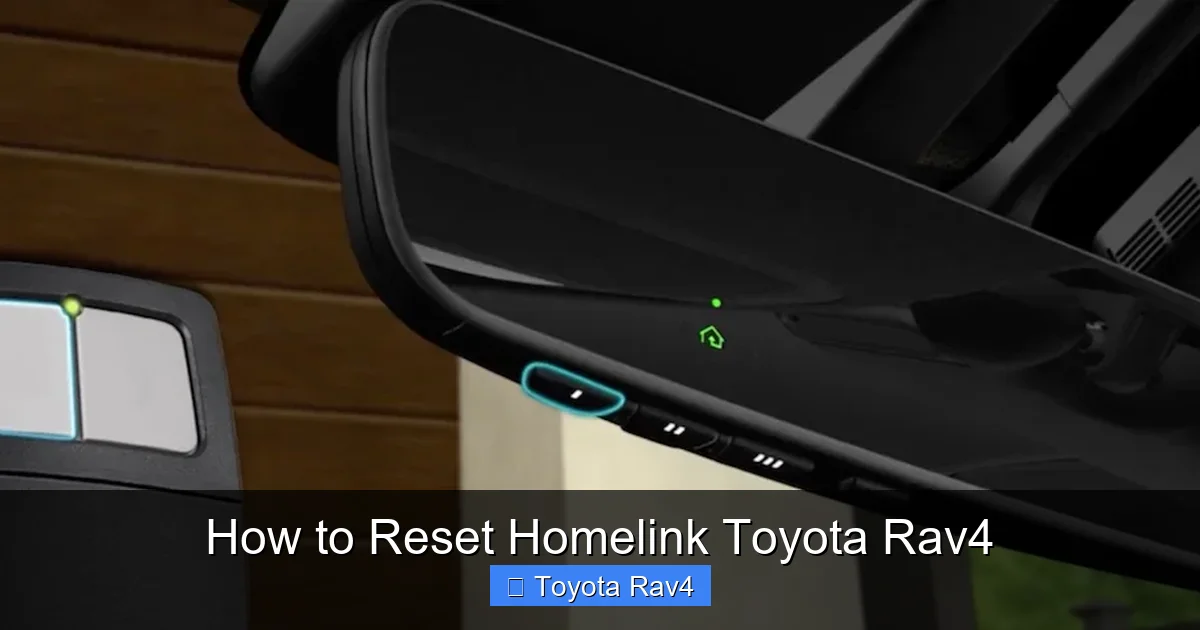
Resetting Homelink in your Toyota RAV4 is simple and takes just minutes. Whether you’re setting up a new garage door opener or fixing a connection issue, this guide walks you through the process clearly and safely.
If you’ve ever pulled up to your driveway, pressed the Homelink button in your Toyota RAV4, and nothing happened, you’re not alone. It’s frustrating—especially when you’re running late or it’s dark and rainy. The good news? Resetting Homelink in your RAV4 is easier than you might think. Whether you’ve moved to a new house, replaced your garage door opener, or just need to clear out old settings, a quick reset can get you back to seamless, hands-free access in minutes.
Homelink is a built-in universal remote system that lets you control garage doors, gates, lighting, and even some home security systems—all from your vehicle. Found on the sun visor or overhead console of most Toyota RAV4 models (typically from 2006 onward), it’s a convenient feature that saves you from fumbling with a separate remote. But like any tech, it sometimes needs a refresh. Maybe your opener was replaced, or the signal got scrambled. That’s when a reset becomes necessary.
In this guide, we’ll walk you through exactly how to reset Homelink in your Toyota RAV4—step by step, with real-world tips and troubleshooting advice. We’ll cover everything from locating the Homelink buttons to syncing with your garage door opener, and even what to do if things don’t go as planned. Whether you drive a 2010 RAV4 or a 2023 hybrid, the process is largely the same, though we’ll point out any model-specific differences. Let’s get started.
Key Takeaways
- Homelink reset clears old programming: This ensures your RAV4 only responds to your current garage door or gate opener.
- Works with most garage door openers: Homelink is compatible with major brands like Chamberlain, LiftMaster, and Genie.
- No tools required: The entire reset and reprogramming process uses only buttons on your RAV4’s sun visor or overhead console.
- Timing is critical: Follow the exact button-hold durations to avoid failed programming.
- Use the “Learn” button on your opener: This small button on your garage door motor is essential for syncing with Homelink.
- Test after setup: Always verify the connection by pressing the programmed button multiple times.
- Consult your owner’s manual: Model year differences may affect the exact steps—always double-check your RAV4’s specific instructions.
📑 Table of Contents
What Is Homelink and Why Might You Need to Reset It?
Homelink is a wireless control system developed by Gentex Corporation and integrated into millions of vehicles, including the Toyota RAV4. It allows drivers to operate garage door openers, gate systems, and even home lighting or security devices without needing a separate remote. The system uses radio frequencies to communicate with compatible devices, and it’s programmed to remember up to three different signals—perfect for households with multiple garage doors or shared access points.
So why would you need to reset it? There are several common reasons. First, if you’ve moved to a new home, your old garage door opener won’t work with the new one—so you’ll need to clear the old settings and program the new one. Second, if your garage door opener was replaced due to malfunction or upgrade, the old Homelink programming won’t recognize the new device. Third, sometimes the signal gets corrupted—maybe due to a power surge, interference, or simply age—and the Homelink button stops responding. In these cases, a reset is the fastest fix.
Another reason? You might be lending your car to a family member or friend who needs temporary access to their own garage. Instead of handing over a physical remote, you can program Homelink for them—and then reset it when they return the car. It’s secure, convenient, and avoids the hassle of tracking down lost remotes.
It’s also worth noting that some newer garage door openers use rolling code technology (also called Security+ 2.0), which changes the signal each time the door is used. While Homelink is compatible with most of these systems, the programming process may require an extra step—like pressing the “Learn” button on the opener motor. We’ll cover that in detail later.
In short, resetting Homelink isn’t just about fixing a broken button. It’s about maintaining control, security, and convenience. And the best part? You don’t need to visit a dealership or pay a technician. With a few simple steps, you can do it yourself—right in your driveway.
Locating the Homelink Buttons in Your Toyota RAV4
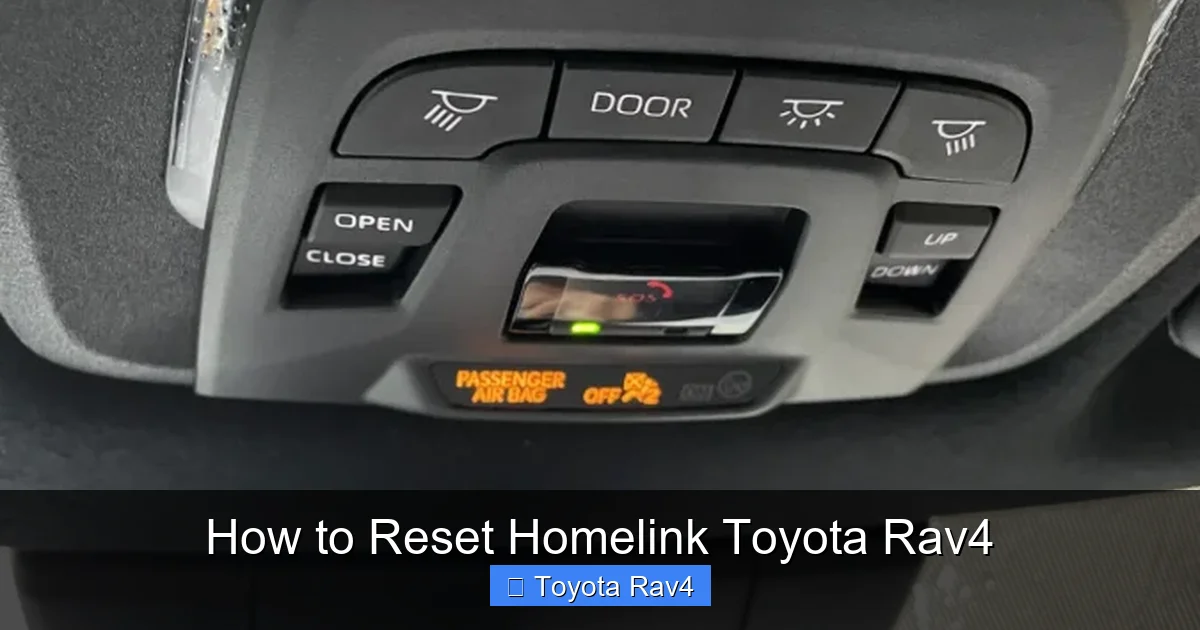
Visual guide about How to Reset Homelink Toyota Rav4
Image source: siempreauto.com
Before you can reset Homelink, you need to know where to find it. In most Toyota RAV4 models, the Homelink system is built into the driver’s side sun visor. Look for three small buttons labeled with a house icon or the word “Homelink.” These are usually positioned near the top edge of the visor, just above the mirror.
However, the exact location can vary slightly depending on your RAV4’s model year and trim level. For example:
– 2006–2012 RAV4: Homelink buttons are typically on the driver’s sun visor. Some lower trims may not include Homelink at all, so check your owner’s manual if you’re unsure.
– 2013–2018 RAV4: Homelink remains on the sun visor, but the design may be more streamlined. The buttons are often backlit for easier use at night.
– 2019–2023 RAV4 (including Hybrid): Homelink is still on the sun visor, but some higher trims (like Limited or Adventure) may have additional features like auto-dimming mirrors integrated into the same area.
In rare cases, especially in earlier models or base trims, Homelink might be located on the overhead console near the rearview mirror. If you don’t see the buttons on your sun visor, check there. The buttons will still have the same house icon or labeling.
Once you’ve found the Homelink buttons, take a moment to familiarize yourself with them. You’ll typically see three buttons: Button 1, Button 2, and Button 3. Each can be programmed to control a different device—like your main garage door, a side gate, and even outdoor lights. This flexibility is one of Homelink’s biggest advantages.
Pro tip: If your RAV4 has a sunroof or auto-dimming mirror, the Homelink buttons may be slightly recessed or have a softer click. Don’t worry—this is normal. Just press firmly but gently to activate them.
Also, make sure your vehicle is on or in accessory mode (key in the ignition or push-to-start in “on” position) when programming. Homelink won’t respond if the car is completely off. This is a common oversight that can lead to frustration during setup.
Step-by-Step Guide to Resetting Homelink in Your RAV4
Now that you know where the Homelink buttons are, let’s walk through the reset process. This will clear all previously programmed devices and prepare the system for new ones. Follow these steps carefully—timing is important.
Step 1: Turn on the Vehicle
Start by turning your RAV4 to the “on” position. You don’t need to start the engine—just press the power button (or turn the key) so that the dashboard lights up. This provides power to the Homelink system. If you try to reset with the car off, the buttons won’t respond.
Step 2: Press and Hold Two Homelink Buttons
Locate Button 1 and Button 2 on the Homelink panel. Press and hold both simultaneously. Keep them held down. After about 10–15 seconds, you’ll notice the indicator light (usually an LED above the buttons) begin to flash slowly. This means the system is in reset mode.
Continue holding both buttons until the light changes. On most RAV4 models, the light will flash rapidly for about 20 seconds, then turn solid or go out completely. This indicates that all previous programming has been erased.
Step 3: Release the Buttons
Once the light stops flashing or turns off, release both buttons. The Homelink system is now reset and ready for new programming. You’ve successfully cleared any old garage door or gate settings.
Step 4: Test the Reset (Optional but Recommended)
To confirm the reset worked, try pressing any of the Homelink buttons. Nothing should happen—no garage door movement, no lights turning on. If a device still responds, the reset may not have completed. In that case, repeat the process, making sure to hold the buttons long enough.
Step 5: Reprogram Your Devices
Now that Homelink is reset, you can program your garage door opener or other devices. We’ll cover this in the next section, but the basic idea is to sync Homelink with your opener’s “Learn” button. This ensures a secure, reliable connection.
Important Notes:
– Don’t rush: The entire reset process takes about 30–45 seconds. Rushing can cause the system to skip steps.
– Use both hands: Holding two buttons at once can be tricky. Use your thumb and index finger for better control.
– Check your model year: Some older RAV4 models may require a slightly different sequence. If this method doesn’t work, consult your owner’s manual.
By following these steps, you’ve successfully reset Homelink in your Toyota RAV4. Now it’s time to set it up with your current devices.
How to Program Homelink After a Reset
Resetting Homelink is only half the job. Now you need to program it to work with your garage door opener, gate, or other device. The process is straightforward, but it requires coordination between your RAV4 and the opener motor.
Step 1: Locate the “Learn” Button on Your Garage Door Opener
Go to your garage and find the motor unit hanging from the ceiling. Look for a small button—usually yellow, red, purple, or green—labeled “Learn,” “Smart,” or “Program.” This button is essential for syncing with Homelink. The color and location vary by brand:
– Chamberlain/LiftMaster: Purple or yellow button, often under a light lens.
– Genie: Red or black button, usually on the side of the motor.
– Stanley/Mastercraft: Green or orange button, sometimes behind a cover.
If you can’t find it, check the opener’s manual or look for a label near the antenna wire.
Step 2: Clear the Opener’s Memory (If Needed)
Some openers store multiple remote codes. If you’ve programmed other remotes recently, it’s a good idea to clear the memory first. Press and hold the “Learn” button for about 10 seconds until the indicator light turns off. This erases all previously programmed remotes, including Homelink. Don’t worry—you’ll reprogram everything afterward.
Step 3: Program Homelink to the Opener
Now return to your RAV4. Follow these steps:
1. Press and hold the Homelink button you want to program (e.g., Button 1).
2. While holding it, press and release the “Learn” button on the garage door opener. You’ll see a light blink or hear a click.
3. Return to your RAV4 within 30 seconds and continue holding the Homelink button.
4. After about 20–30 seconds, the Homelink indicator light will flash rapidly, then turn solid. This means programming is complete.
Step 4: Test the Connection
Press the programmed Homelink button. Your garage door should open or close. If it doesn’t, wait a few seconds and try again. Some openers require a second press to activate.
Step 5: Repeat for Additional Devices
If you have a gate, second garage door, or outdoor lights, repeat the process using Button 2 or Button 3. Each button can control a different device.
Pro Tips for Success:
– Stay close: You must be within 3–5 feet of the opener when pressing the “Learn” button.
– Use fresh batteries: If your opener uses a remote, make sure its batteries are charged.
– Don’t skip the “Learn” button step: This is the most common mistake. Homelink won’t sync without it.
Troubleshooting Common Homelink Issues
Even with perfect steps, sometimes Homelink doesn’t work as expected. Here are the most common problems and how to fix them.
Homelink Button Doesn’t Respond After Programming
If you press the button and nothing happens, first check that your vehicle is on. Homelink won’t work if the ignition is off. Also, ensure you’re within range of the garage door—usually 100–200 feet.
If that doesn’t help, try re-programming. Sometimes the signal doesn’t sync properly the first time. Repeat the programming steps, making sure to press the “Learn” button on the opener at the right moment.
Garage Door Opens Partway Then Stops
This could be a safety sensor issue, not a Homelink problem. Check the sensors near the base of your garage door. They should have aligned lights (usually green and amber). If one is off or blinking, clean the lenses or realign them.
Homelink Works Intermittently
Intermittent operation often points to interference. Nearby electronics, LED lights, or even a neighbor’s opener can disrupt the signal. Try reprogramming Homelink during off-peak hours (early morning or late evening) when interference is lower.
Indicator Light Doesn’t Flash During Reset
If the Homelink light doesn’t flash when you hold two buttons, the system may not be receiving power. Check that the vehicle is on. If it still doesn’t work, the Homelink module may be faulty. In rare cases, a blown fuse or wiring issue could be the cause. Consult a Toyota service center if problems persist.
Newer Openers with Security+ 2.0
Some modern openers use rolling codes for extra security. These require an extra step: after programming Homelink, you may need to press the “Learn” button again and then press the Homelink button twice within 30 seconds. This tells the opener to accept the new rolling code.
Maintaining Your Homelink System
Once Homelink is working, a little maintenance goes a long way. Here’s how to keep it reliable:
– Clean the buttons: Dust and grime can build up on the Homelink panel. Wipe it gently with a dry cloth every few months.
– Check the opener batteries: Weak batteries in your garage door remote can affect Homelink performance. Replace them annually.
– Reprogram after power outages: Major power surges can reset garage door openers. If your door stops responding, reprogram Homelink.
– Update your opener: If you upgrade to a smart garage door opener (like MyQ), check compatibility with Homelink. Most work seamlessly.
By taking these simple steps, you’ll ensure Homelink continues to work reliably for years to come.
Conclusion
Resetting Homelink in your Toyota RAV4 is a quick and easy process that can save you time, hassle, and a trip to the dealership. Whether you’ve moved, replaced your garage door opener, or just need to clear old settings, following the steps in this guide will get you back to hands-free access in minutes.
Remember: locate the buttons, hold two at once to reset, then reprogram using the “Learn” button on your opener. Test the connection, and troubleshoot if needed. With a little patience, you’ll have a fully functional Homelink system that makes every arrival and departure smoother.
And if you ever run into issues, don’t panic. Most problems are fixable with a simple reprogram or a quick check of the opener’s sensors. Keep this guide handy, and you’ll never be stuck pressing a button that doesn’t respond.
Now go enjoy the convenience of one-touch access—your RAV4 and your garage door will thank you.
Frequently Asked Questions
How do I know if my Toyota RAV4 has Homelink?
Check the driver’s sun visor for three buttons with a house icon or the word “Homelink.” If you don’t see them, consult your owner’s manual or look on the overhead console. Not all trims include Homelink.
Can I reset Homelink without the garage door opener?
Yes, you can reset Homelink using just the buttons in your RAV4. However, you’ll need the opener’s “Learn” button to reprogram it afterward.
Why won’t my Homelink button program?
Common causes include being out of range, not pressing the “Learn” button on the opener, or having a weak battery in the opener remote. Try reprogramming with fresh batteries and close proximity.
Does Homelink work with all garage door openers?
Homelink works with most major brands, including Chamberlain, LiftMaster, Genie, and Stanley. It’s compatible with both fixed-code and rolling-code (Security+ 2.0) systems.
How many devices can Homelink control?
Homelink can store up to three different devices—such as a garage door, gate, and outdoor lights—one for each button.
What if my Homelink light doesn’t flash during reset?
Ensure your vehicle is on. If the light still doesn’t flash, there may be a power issue or faulty module. Try the reset again, or consult a Toyota service center.