

Resetting the “Maintenance Required” light on your Toyota RAV4 is quick and easy—no mechanic needed. Whether you’ve just changed your oil or completed routine service, this guide walks you through the process for every RAV4 generation, from older models to the latest 2024 versions.
Key Takeaways
- Know your model year: The reset method varies slightly between RAV4 generations, so identifying your vehicle’s year is the first step.
- Use the trip meter button: Most RAV4 models use the trip odometer button to navigate the reset process—no special tools required.
- Turn the ignition on (not start): You don’t need to start the engine; just turn the key to the “ON” position or press the start button without your foot on the brake.
- Follow the sequence carefully: Timing and button presses matter—rushing can cause you to miss the reset window.
- Confirm the reset: After completing the steps, check that the “Maintenance Required” light turns off and stays off after restarting the vehicle.
- Reset doesn’t replace service: The light is a reminder—always follow your owner’s manual for actual maintenance intervals.
- Keep records: Note the mileage and date of service to track future maintenance needs accurately.
📑 Table of Contents
- Why the “Maintenance Required” Light Comes On
- Understanding the Toyota RAV4 Maintenance Reminder System
- How to Identify Your RAV4 Model Year and Generation
- Step-by-Step Guide to Reset Maintenance Required Light (2006–2012 RAV4)
- Resetting the Light on 2013–2018 RAV4 Models
- Resetting the Light on 2019–2024 RAV4 (Including Hybrid Models)
- Troubleshooting Common Reset Issues
- Tips for Maintaining Your RAV4 and Avoiding Frequent Resets
- Conclusion
Why the “Maintenance Required” Light Comes On
If you’ve ever driven a Toyota RAV4, chances are you’ve seen that little yellow or orange wrench icon or the words “Maintenance Required” flash on your dashboard. It’s not a warning of immediate danger—but it’s definitely something you shouldn’t ignore. This light is part of Toyota’s Maintenance Reminder System (MRS), designed to help you stay on top of routine service like oil changes, tire rotations, and fluid top-offs.
The system tracks your driving habits and mileage, typically triggering the light every 5,000 to 10,000 miles, depending on your model year and driving conditions. For example, if you do a lot of short trips in stop-and-go traffic, the system might suggest service sooner than someone who mostly drives on highways. It’s not just about oil life—it’s a holistic reminder that your RAV4 needs a little TLC to keep running smoothly.
Many drivers panic when they see the light, thinking something is wrong with their engine or transmission. But in most cases, it’s simply time for scheduled maintenance. The good news? Once you’ve completed the service—whether you did it yourself or took it to a shop—you can reset the light in under a minute. No need to visit a dealership or pay for a diagnostic scan. With a few simple steps, you can clear the reminder and get back to enjoying your RAV4.
Understanding the Toyota RAV4 Maintenance Reminder System
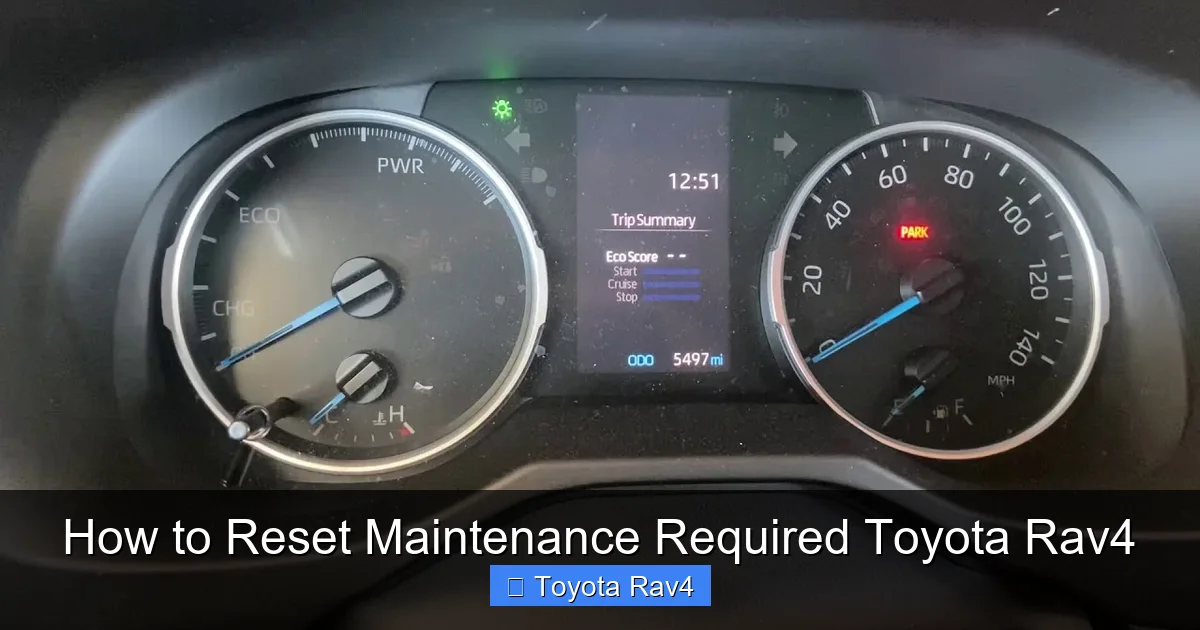
Visual guide about How to Reset Maintenance Required Toyota Rav4
Image source: i.ytimg.com
Toyota introduced the Maintenance Reminder System (MRS) in the mid-2000s to replace the older, mileage-based oil life indicators. The RAV4, being one of Toyota’s most popular SUVs, adopted this system early and has refined it over the years. The goal? To make vehicle maintenance more intuitive and less guesswork for drivers.
The MRS uses a combination of mileage, engine runtime, and driving patterns to estimate when service is due. It’s not just about how far you’ve driven—it also considers how you’ve driven. For instance, frequent cold starts, idling, and driving in dusty or extreme temperatures can accelerate wear and trigger the light sooner. This smart approach helps ensure your RAV4 gets serviced before minor issues become major problems.
The “Maintenance Required” light is different from the “Check Engine” light. The Check Engine light indicates a potential mechanical or emissions issue that needs immediate attention. In contrast, the Maintenance Required light is a gentle nudge—like a friendly reminder from your car saying, “Hey, it’s been a while since we last checked in. Let’s get serviced!”
It’s important to note that the reset process doesn’t actually perform the maintenance—it just tells the car’s computer that you’ve completed it. So, if you reset the light without doing the service, you’re essentially lying to your car. That’s not a good idea. Always service your RAV4 first, then reset the light. This keeps your vehicle in top shape and helps maintain its resale value.
How to Identify Your RAV4 Model Year and Generation
Before you reset the Maintenance Required light, it’s crucial to know which generation of RAV4 you’re driving. The reset method varies slightly between models, so identifying your vehicle’s year will save you time and frustration.
Toyota has released five generations of the RAV4 since its debut in 1994:
– **First Generation (1996–2000):** Compact, boxy design, available in both front-wheel and all-wheel drive.
– **Second Generation (2001–2005):** Larger, more refined, with improved interior space and optional V6 engine.
– **Third Generation (2006–2012):** Introduced the Maintenance Reminder System; more SUV-like styling.
– **Fourth Generation (2013–2018):** Complete redesign with modern tech, better fuel economy, and updated dashboard controls.
– **Fifth Generation (2019–present):** Latest model with hybrid options, advanced safety features, and a digital instrument cluster.
To find your model year, check your vehicle registration, insurance card, or the driver’s side door jamb. You’ll see a sticker with the VIN and manufacturing details. The 10th character of the VIN indicates the model year—for example, “K” is 2019, “L” is 2020, and so on.
Once you know your generation, you can follow the correct reset procedure. For instance, 2006–2012 RAV4s use a slightly different button sequence than 2019–2024 models. Don’t worry—we’ll cover each one in detail.
Step-by-Step Guide to Reset Maintenance Required Light (2006–2012 RAV4)
If you drive a third-generation RAV4 (2006–2012), here’s how to reset the Maintenance Required light after servicing your vehicle. This method uses the trip meter button and ignition switch—no scan tools or dealership visits needed.
What You’ll Need
– Your Toyota RAV4 (2006–2012 model)
– The key or push-button start
– About 30 seconds of your time
Step 1: Turn the Ignition to “ON”
Insert your key and turn it to the “ON” position. You don’t need to start the engine—just turn it far enough that the dashboard lights up. If your RAV4 has a push-button start, press the button once without pressing the brake pedal. The instrument cluster should illuminate, and the “Maintenance Required” light should be visible.
Step 2: Locate the Trip Meter Button
Look at your instrument cluster. You’ll see a small button near the speedometer labeled “TRIP” or “ODO/TRIP.” This button cycles through trip odometer readings (Trip A, Trip B) and total mileage. Press it once to make sure you’re on Trip A.
Step 3: Turn the Ignition Off
Turn the key back to the “OFF” position or press the start button again to turn off the ignition. Don’t remove the key yet.
Step 4: Press and Hold the Trip Button
While the ignition is off, press and hold the trip meter button. Keep it held down.
Step 5: Turn the Ignition Back to “ON”
With the trip button still held down, turn the ignition back to the “ON” position. Continue holding the button. You’ll see the “Maintenance Required” light begin to flash.
Step 6: Release the Button After the Light Flashes
After about 5–10 seconds, the light will flash several times and then turn off. At this point, release the trip button. The reset is complete.
Step 7: Confirm the Reset
Turn the ignition off, then start your RAV4. The “Maintenance Required” light should not reappear. If it does, repeat the steps carefully—timing is key.
This method works for most 2006–2012 RAV4 models, including those with manual and automatic transmissions. If you have a hybrid version, the process is the same.
Resetting the Light on 2013–2018 RAV4 Models
The fourth-generation RAV4 (2013–2018) introduced a more modern dashboard and slightly different controls. The reset process is similar but has a few key differences. Here’s how to do it.
Step 1: Turn the Ignition to “ON”
Turn the key to the “ON” position or press the start button without pressing the brake. The dashboard should light up.
Step 2: Navigate to Trip A
Press the trip meter button until you see “Trip A” displayed on the odometer screen.
Step 3: Turn the Ignition Off
Turn the key back to “OFF” or press the start button to turn off the ignition.
Step 4: Press and Hold the Trip Button
Press and hold the trip meter button.
Step 5: Turn the Ignition Back to “ON”
While holding the trip button, turn the ignition back to “ON.” Keep holding the button.
Step 6: Wait for the Light to Flash and Turn Off
After about 5–10 seconds, the “Maintenance Required” light will flash and then go out. Release the trip button.
Step 7: Verify the Reset
Turn the ignition off and restart the vehicle. The light should remain off.
One common mistake is releasing the button too early. Make sure you hold it until the light turns off completely. If it doesn’t work the first time, don’t panic—just try again. Some drivers report needing to repeat the process once or twice.
Resetting the Light on 2019–2024 RAV4 (Including Hybrid Models)
The latest RAV4 models (2019–2024) feature a digital instrument cluster and more advanced electronics. The reset process is a bit different, especially for hybrid versions. Here’s the correct method.
Step 1: Turn the Ignition to “ON”
Press the start button once without pressing the brake pedal. The dashboard should light up.
Step 2: Use the Steering Wheel Controls
On the left side of the steering wheel, you’ll find buttons for the multi-information display (MID). Use the “DISP” or “INFO” button to navigate to the “Settings” menu.
Step 3: Access the Maintenance Menu
Scroll through the menu using the arrow buttons until you find “Vehicle Settings” or “Maintenance.” Select it.
Step 4: Reset the Maintenance Light
Look for an option like “Reset Maintenance Light” or “Oil Change Reset.” Select it and confirm when prompted. The system will reset the reminder.
Step 5: Confirm the Reset
Exit the menu and turn the ignition off. Start the vehicle again. The “Maintenance Required” light should be gone.
For hybrid models, the process is identical. The hybrid system doesn’t affect the reset procedure. However, if your RAV4 has a fully digital gauge cluster (common in 2021+ models), the menu layout might look slightly different. Just look for the maintenance or service option.
If you can’t find the menu, consult your owner’s manual. Some newer models require you to hold the “DISP” button for a few seconds to access hidden settings.
Troubleshooting Common Reset Issues
Even with clear instructions, sometimes the reset doesn’t work the first time. Here are some common issues and how to fix them.
The Light Won’t Turn Off
If the “Maintenance Required” light stays on after resetting, double-check that you followed the steps correctly. Make sure you held the button long enough and turned the ignition at the right time. Try the process again, paying close attention to timing.
The Dashboard Doesn’t Respond
If pressing the trip button does nothing, ensure the ignition is in the correct position. Some drivers accidentally start the engine instead of just turning it to “ON.” Also, check that the battery isn’t low—weak power can affect dashboard functions.
The Light Comes Back On Immediately
If the light resets but comes back on after driving a short distance, it could mean the system didn’t register the reset. Try the process again. In rare cases, a faulty sensor or software glitch may require a dealership visit.
Hybrid Models Not Responding
For hybrid RAV4s, make sure the vehicle is in “Ready” mode (engine or electric motor active) when checking the light. Some systems only allow resets when the car is fully powered.
Using a Scan Tool (Advanced Option)
If manual reset fails repeatedly, you can use an OBD2 scan tool with Toyota-specific software. These tools can reset the maintenance light and provide additional diagnostics. However, they’re not necessary for most drivers.
Tips for Maintaining Your RAV4 and Avoiding Frequent Resets
Resetting the light is easy, but the best way to manage maintenance is to stay proactive. Here are some tips to keep your RAV4 running smoothly and reduce the frequency of service reminders.
Follow the Owner’s Manual Schedule
Your RAV4’s owner’s manual outlines the recommended maintenance schedule. Stick to it—don’t wait for the light to come on. Regular oil changes, tire rotations, and fluid checks prevent bigger problems down the road.
Use Quality Parts and Fluids
Always use Toyota-recommended oil (usually 0W-20 synthetic) and genuine or high-quality aftermarket parts. Cheap fluids can degrade faster and trigger the maintenance light prematurely.
Keep a Maintenance Log
Write down each service—date, mileage, and what was done. This helps you track intervals and provides proof of care if you sell the vehicle.
Monitor Driving Conditions
If you drive in harsh conditions (dusty roads, extreme temperatures, frequent short trips), consider servicing your RAV4 more often than the standard interval. The Maintenance Reminder System adjusts for this, but you can stay ahead of it.
Don’t Ignore Other Warning Lights
While the Maintenance Required light is routine, other lights—like the Check Engine or ABS light—require immediate attention. Address them promptly to avoid costly repairs.
Conclusion
Resetting the “Maintenance Required” light on your Toyota RAV4 is a simple task that any owner can do in under a minute. Whether you drive a 2006 model or a brand-new 2024 hybrid, the process is straightforward once you know the steps. The key is to follow the correct procedure for your specific generation and to always perform the actual maintenance before resetting the light.
Remember, the light is there to help you—not to stress you out. By staying on top of routine service and resetting the reminder promptly, you’ll keep your RAV4 reliable, efficient, and ready for any adventure. And the best part? You don’t need a mechanic or special tools. Just your key, a little patience, and this guide.
So the next time that little wrench pops up on your dashboard, don’t panic. Grab your owner’s manual, check your model year, and reset that light like a pro. Your RAV4 will thank you with years of smooth, trouble-free driving.
Frequently Asked Questions
How often does the Maintenance Required light come on?
The light typically appears every 5,000 to 10,000 miles, depending on your driving habits and model year. It’s based on mileage, engine runtime, and driving conditions.
Can I reset the light without doing maintenance?
Technically yes, but it’s not recommended. Resetting without service can lead to engine wear and missed maintenance needs. Always service your RAV4 first.
Why won’t my Maintenance Required light reset?
Common causes include incorrect timing, low battery, or not holding the button long enough. Try the process again slowly and carefully.
Does the reset work on RAV4 Hybrid models?
Yes, the reset process works on all RAV4 models, including hybrids. The method is the same, though newer hybrids may use the steering wheel menu.
Do I need a special tool to reset the light?
No, you don’t need any special tools. All you need is your key or push-button start and the trip meter button or steering wheel controls.
What if the light comes back on right after resetting?
This could mean the reset didn’t register. Try the process again. If it persists, there may be a sensor issue—consult a Toyota service center.