
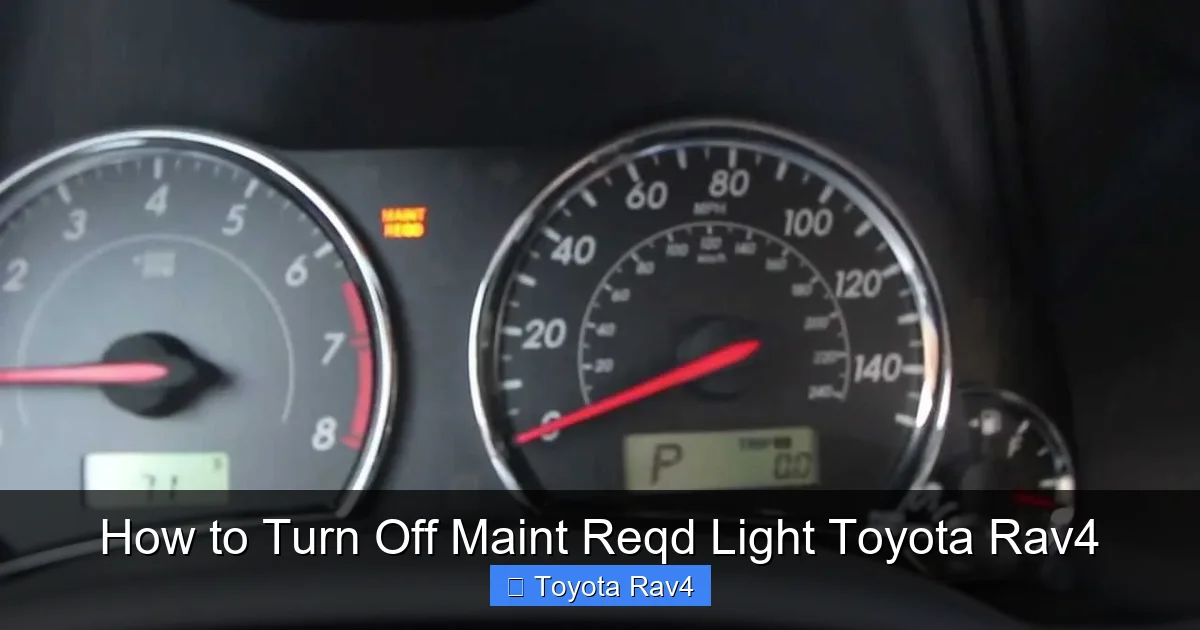
Turning off the Maint Reqd light on your Toyota RAV4 is a quick and easy process you can do at home. This guide walks you through the reset procedure for different model years, explains what the light means, and offers tips to avoid future confusion.
If you’ve ever been behind the wheel of your Toyota RAV4 and noticed that little “Maint Reqd” light glowing on your dashboard, you’re not alone. It’s one of the most common—and often misunderstood—dashboard indicators in modern vehicles. Many drivers panic, thinking something is seriously wrong with their SUV. But in reality, this light is simply a friendly reminder from your vehicle that it’s time for routine maintenance.
The “Maint Reqd” light isn’t a warning light like the check engine light or oil pressure light. Instead, it’s part of Toyota’s maintenance reminder system, designed to help you stay on top of scheduled services like oil changes, tire rotations, brake inspections, and fluid top-offs. Think of it as your RAV4’s way of saying, “Hey, it’s been a while—let’s get checked out!” Once you’ve completed the recommended service, the next step is turning off that persistent light so your dashboard stays clean and distraction-free.
The good news? Resetting the Maint Reqd light on your Toyota RAV4 is something you can do yourself in under two minutes—no mechanic, no special tools, and no trip to the dealership required. Whether you drive a 2006 RAV4 or a brand-new 2024 model, this guide will walk you through the exact steps to turn off that light quickly and correctly. We’ll cover multiple model years, explain why the light comes on, and share pro tips to keep your RAV4 running smoothly between services.
Key Takeaways
- Understand the Maint Reqd Light: This light reminds you it’s time for scheduled maintenance, not a warning of a serious problem.
- Reset Method Varies by Model Year: Older RAV4s (2006–2012) use a trip meter reset, while newer models (2013+) use the multi-information display.
- No Special Tools Needed: You only need your hands and the vehicle’s dashboard controls—no OBD2 scanner required.
- Reset After Every Service: Always reset the light after an oil change or maintenance to keep accurate service records.
- Check Owner’s Manual: Your RAV4’s manual has model-specific instructions—always refer to it first.
- Don’t Ignore Maintenance: The light is a helpful reminder—don’t reset it without performing the needed service.
- Seek Help If Needed: If the light won’t turn off, visit a Toyota dealer to rule out sensor or system issues.
📑 Table of Contents
- What Does the Maint Reqd Light Mean?
- Why You Should Reset the Maint Reqd Light
- How to Turn Off Maint Reqd Light on Older Toyota RAV4 Models (2006–2012)
- How to Turn Off Maint Reqd Light on Newer Toyota RAV4 Models (2013–2024)
- When to Service Your Toyota RAV4
- Pro Tips for Maintaining Your RAV4
- Conclusion
What Does the Maint Reqd Light Mean?
Before we dive into how to turn off the Maint Reqd light, it’s important to understand what it actually means. This light is part of Toyota’s Intelligent Maintenance System, a smart feature designed to track your driving habits and mileage to determine when routine service is due. Unlike older vehicles that rely solely on mileage, the RAV4’s system considers factors like engine runtime, driving conditions, and temperature to calculate the optimal time for maintenance.
When the light illuminates, it doesn’t mean your vehicle is broken or in danger. Instead, it’s a proactive reminder that you’re approaching or have reached the recommended interval for service. For most RAV4 models, this happens every 5,000 to 10,000 miles, depending on your driving style and the type of oil used (conventional vs. synthetic). If you frequently drive in stop-and-go traffic, extreme temperatures, or dusty conditions, the system may trigger the light sooner.
It’s also worth noting that the Maint Reqd light is different from the “Check Engine” light. The Check Engine light indicates a potential mechanical or emissions issue that needs immediate attention. The Maint Reqd light, on the other hand, is purely informational. However, ignoring it can lead to bigger problems down the road. Skipping oil changes, for example, can cause engine wear, reduced fuel efficiency, and even costly repairs.
So, while the light itself isn’t alarming, it’s a signal that you should schedule service soon. Once you’ve had your oil changed, filters replaced, or other maintenance performed, the next step is resetting the light so you know when the next service is due.
Why You Should Reset the Maint Reqd Light

Visual guide about How to Turn Off Maint Reqd Light Toyota Rav4
Image source: img.youtube.com
You might be wondering: “Do I really need to reset the light? Can’t I just ignore it?” While it’s technically possible to drive with the Maint Reqd light on, resetting it is a smart habit that offers several benefits.
First, it keeps your dashboard clean and free of distractions. A cluttered dashboard with multiple lights can be stressful, especially on long drives. Resetting the light gives you peace of mind and helps you focus on the road.
Second, it helps you track your maintenance schedule accurately. If you don’t reset the light, you won’t know when the next service is due. This can lead to missed oil changes or other important maintenance tasks, which can shorten your vehicle’s lifespan and reduce its resale value.
Third, resetting the light is a great way to confirm that service was completed. Whether you did the work yourself or took your RAV4 to a shop, turning off the light is a simple way to verify that everything was done correctly. It’s also helpful if you’re selling your vehicle—a clean dashboard with no warning lights makes a better impression on potential buyers.
Finally, resetting the light is quick, easy, and free. It takes less than two minutes and requires no special tools. Why not take advantage of such a simple way to stay on top of your vehicle’s health?
How to Turn Off Maint Reqd Light on Older Toyota RAV4 Models (2006–2012)
If you drive a Toyota RAV4 from 2006 to 2012, the process for turning off the Maint Reqd light is straightforward and relies on the trip meter reset button. This method works for both 4-cylinder and V6 models and doesn’t require any electronic tools.
Step-by-Step Guide for 2006–2012 RAV4
1. **Turn the ignition to “ON” but don’t start the engine.**
Insert your key and turn it to the “ON” position. You should see all dashboard lights illuminate, including the Maint Reqd light. Do not press the brake or start the engine.
2. **Locate the trip meter reset button.**
This small button is usually found on the instrument cluster, near the speedometer. It’s labeled “TRIP” or “ODO/TRIP.” On some models, it’s a small knob you can press and hold.
3. **Press and hold the trip meter button.**
While holding the button, turn the ignition back to the “OFF” position. Keep holding the button the entire time.
4. **Turn the ignition back to “ON.”**
With the button still pressed, turn the key back to the “ON” position. You should see the Maint Reqd light begin to flash.
5. **Wait for the light to turn off.**
Continue holding the button for about 10–15 seconds. The Maint Reqd light will flash several times and then turn off completely. Once it’s off, you can release the button.
6. **Start your engine.**
Turn the key to start the engine. The Maint Reqd light should remain off, confirming that the reset was successful.
Tips for Success
– Make sure your hands are dry and the button is clean. Dirt or moisture can interfere with the reset.
– If the light doesn’t turn off after the first try, repeat the process. Timing is important—don’t rush.
– Always perform this reset after completing maintenance. Resetting the light without servicing your vehicle defeats its purpose.
How to Turn Off Maint Reqd Light on Newer Toyota RAV4 Models (2013–2024)
Starting in 2013, Toyota updated the RAV4’s dashboard and introduced a multi-information display (MID) that allows for more precise control over the maintenance reminder system. The reset process for these models is slightly different and involves navigating through the MID menu.
Step-by-Step Guide for 2013–2024 RAV4
1. **Turn the ignition to “ON.”**
Insert your key or press the start button (without pressing the brake) to turn on the dashboard. Do not start the engine.
2. **Navigate to the “Settings” menu.**
Use the steering wheel controls or the “DISP” button on the dashboard to scroll through the display options. Look for “Settings” or “Vehicle Settings.”
3. **Select “Maintenance” or “Oil Maintenance.”**
Once in the settings menu, find the maintenance option. It may be labeled “Maintenance,” “Oil Life,” or “Service Reminder.”
4. **Choose “Reset” or “Reset Oil Maintenance.”**
Select the reset option. You may be prompted to confirm your choice. Press “Yes” or “OK” to proceed.
5. **Wait for confirmation.**
The system will reset the maintenance timer, and the Maint Reqd light should turn off. You may see a message like “Maintenance Reset Complete.”
6. **Turn off the ignition and start your engine.**
Turn the key or press the start button to turn off the dashboard, then start your RAV4. The light should remain off.
Using the Steering Wheel Controls (2019–2024 Models)
On newer RAV4 models (2019 and later), you can also use the steering wheel controls to reset the light:
1. Press the “DISP” button on the steering wheel to access the multi-information display.
2. Scroll to “Settings” using the arrow buttons.
3. Select “Vehicle Settings” > “Maintenance” > “Reset.”
4. Confirm the reset when prompted.
This method is especially convenient because you don’t need to reach for dashboard buttons—everything is controlled from the steering wheel.
Common Issues and Troubleshooting
– **Light won’t turn off:** If the light remains on after resetting, double-check that you followed the steps correctly. Try the process again. If it still doesn’t work, there may be a sensor issue or the system may need a software update.
– **Menu not appearing:** Some older 2013–2015 models may not have the full MID menu. In this case, use the trip meter method described earlier.
– **Battery disconnect doesn’t work:** Disconnecting the battery will not reset the Maint Reqd light. The system is designed to retain its memory even when power is lost.
When to Service Your Toyota RAV4
Resetting the Maint Reqd light is only half the battle—knowing when to service your RAV4 is just as important. Toyota recommends following the maintenance schedule outlined in your owner’s manual, which is based on mileage and driving conditions.
Standard Maintenance Intervals
– **Every 5,000 miles:** Oil and filter change, tire rotation, brake inspection, fluid top-off.
– **Every 15,000 miles:** Air filter replacement, cabin air filter check, brake fluid inspection.
– **Every 30,000 miles:** Transmission fluid change, coolant replacement, spark plug inspection.
– **Every 60,000 miles:** Timing belt inspection (if applicable), fuel filter replacement, suspension check.
If you drive in severe conditions—such as frequent short trips, extreme heat or cold, towing, or dusty environments—Toyota recommends servicing your RAV4 more frequently, often every 3,000 to 5,000 miles.
DIY vs. Professional Service
Many RAV4 owners choose to perform basic maintenance themselves, such as oil changes and air filter replacements. This can save money and give you greater control over the quality of parts used. However, more complex tasks—like transmission fluid changes or brake work—are best left to certified technicians.
If you do your own maintenance, make sure to use high-quality parts and follow the manufacturer’s recommendations. Always reset the Maint Reqd light after completing service to keep your records accurate.
Pro Tips for Maintaining Your RAV4
Keeping your Toyota RAV4 in top condition goes beyond just turning off the Maint Reqd light. Here are some expert tips to help you get the most out of your vehicle:
– **Use synthetic oil:** Synthetic oil lasts longer and performs better in extreme temperatures. It can extend your oil change interval to 7,500–10,000 miles.
– **Check tire pressure monthly:** Properly inflated tires improve fuel efficiency, handling, and tire life. Use a tire pressure gauge and adjust as needed.
– **Keep a maintenance log:** Track your service dates, mileage, and tasks performed. This helps you stay on schedule and can increase your vehicle’s resale value.
– **Listen to your vehicle:** Unusual noises, vibrations, or changes in performance can indicate a problem. Address them early to avoid costly repairs.
– **Wash and wax regularly:** Protect your RAV4’s paint and undercarriage from dirt, salt, and corrosion, especially in winter months.
Conclusion
Turning off the Maint Reqd light on your Toyota RAV4 is a simple but important task that helps you stay on top of your vehicle’s maintenance schedule. Whether you drive an older model with a trip meter reset or a newer RAV4 with a multi-information display, the process is quick, easy, and can be done at home with no special tools.
Remember, the Maint Reqd light is your RAV4’s way of reminding you to take care of it—so don’t ignore it. Perform the recommended service, reset the light, and enjoy the peace of mind that comes with a well-maintained vehicle. By following the steps in this guide and staying proactive about maintenance, you’ll keep your RAV4 running smoothly for years to come.
Frequently Asked Questions
How do I turn off the Maint Reqd light on a 2010 Toyota RAV4?
For a 2010 RAV4, turn the ignition to “ON” (don’t start the engine), press and hold the trip meter reset button, then turn the ignition off and back on while holding the button. Hold for 10–15 seconds until the light turns off.
Can I reset the Maint Reqd light without going to a dealer?
Yes, you can reset the light yourself using the trip meter button (older models) or the multi-information display (newer models). No dealership visit is needed.
Why won’t my Maint Reqd light turn off after resetting?
If the light won’t turn off, you may have missed a step in the reset process. Try again, or there could be a sensor or system issue—visit a Toyota service center if the problem persists.
Does disconnecting the battery reset the Maint Reqd light?
No, disconnecting the battery will not reset the Maint Reqd light. The system retains its memory, so you must use the proper reset procedure.
How often should I service my Toyota RAV4?
Most RAV4 models should be serviced every 5,000 to 10,000 miles, depending on driving conditions. Check your owner’s manual for the exact schedule.
Is the Maint Reqd light the same as the Check Engine light?
No, the Maint Reqd light is a maintenance reminder, while the Check Engine light indicates a mechanical or emissions issue that needs immediate attention.